

Introduction
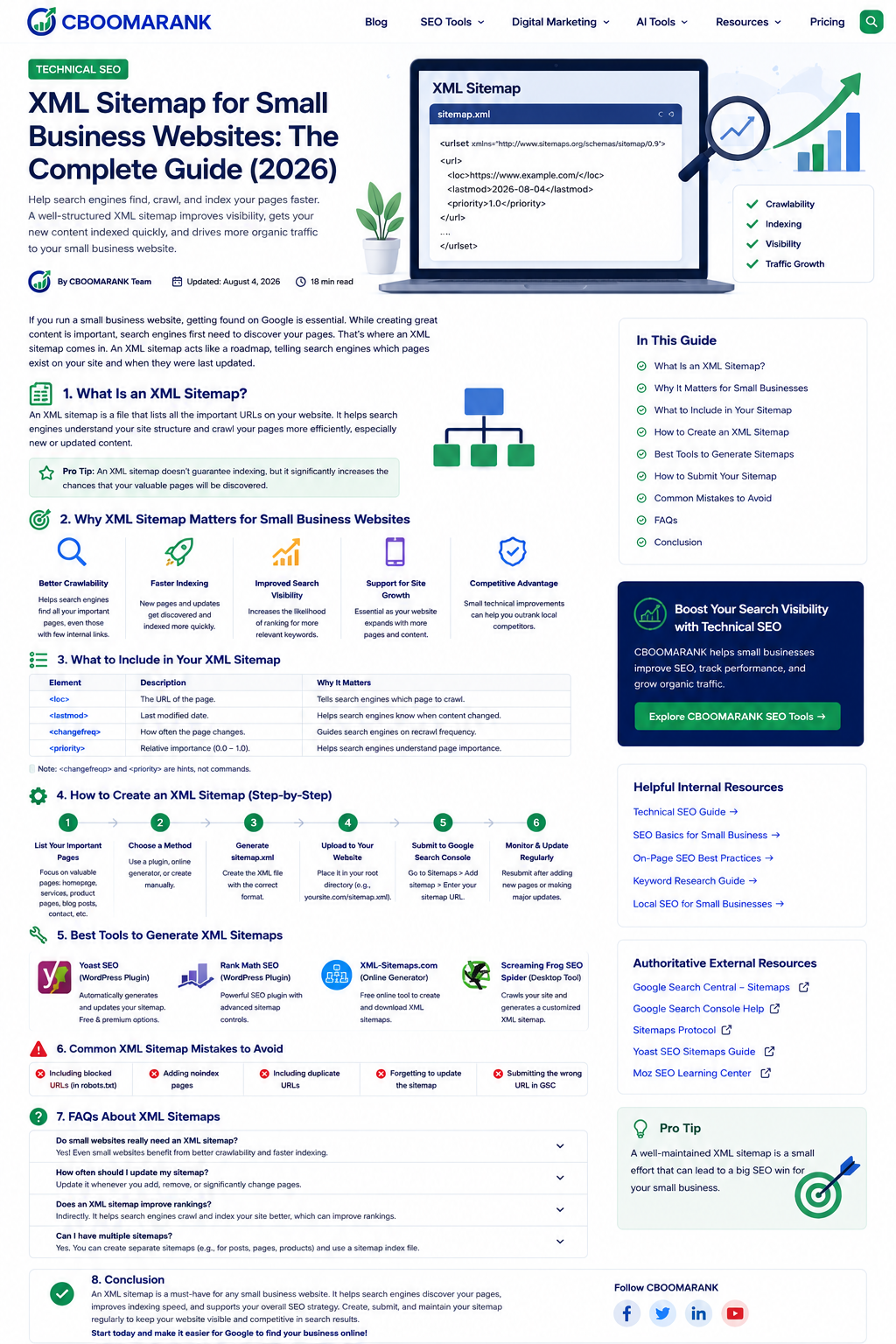
An XML sitemap is one of the simplest technical SEO tools a small business can maintain. It gives search engines a structured list of the URLs you consider important and can also provide useful details such as when a page was last meaningfully updated.
A sitemap does not force Google to crawl or index every page, and it does not directly increase rankings. Its value is discovery and diagnosis: it can help crawlers find new or deeply buried URLs, while Google Search Console can show whether the sitemap was processed and how many URLs it discovered.
This updated guide explains when a small business needs a sitemap, what should be included, how to create one in WordPress or another CMS, how to submit it to Google, and how to avoid errors that waste crawl resources.
What Is an XML Sitemap?
An XML sitemap is a machine-readable file that lists pages, videos, images, or other files a site owner wants search engines to discover. It acts as a discovery signal rather than a replacement for clear navigation and internal linking.
Google explains that a sitemap can help it crawl a site more efficiently, especially when the site is new, large, weakly linked, or contains specialized media. Read Google’s sitemap overview.
Does a Small Business Website Need a Sitemap?
Many CMS platforms automatically generate a sitemap, so the practical answer is usually yes: keep the automatically generated sitemap clean and submit it. A very small, well-linked site may be discoverable without one, but a sitemap remains useful for monitoring and future growth.
- Your site is new and has few external links.
- You regularly publish new blog posts, products, services, locations, or resources.
- Important pages are several clicks away from the homepage.
- Your site contains images, videos, news content, or localized versions.
- You want a Search Console report showing sitemap processing and discovered URLs.
What Should Be Included?
| Include | Exclude |
| Canonical, indexable pages returning HTTP 200 | Redirected, duplicate, or noncanonical URLs |
| Important service, product, category, location, and blog pages | Pages with noindex directives |
| URLs using the preferred HTTPS and hostname version | URLs blocked from crawling when you expect them to be indexed |
| Accurate lastmod dates for meaningful content changes | Thin internal search results, filters, session URLs, and private pages |
Google recommends including the URLs you want shown in search results and generally using canonical URLs. See Google’s build-and-submit guidance.
How to Create an XML Sitemap
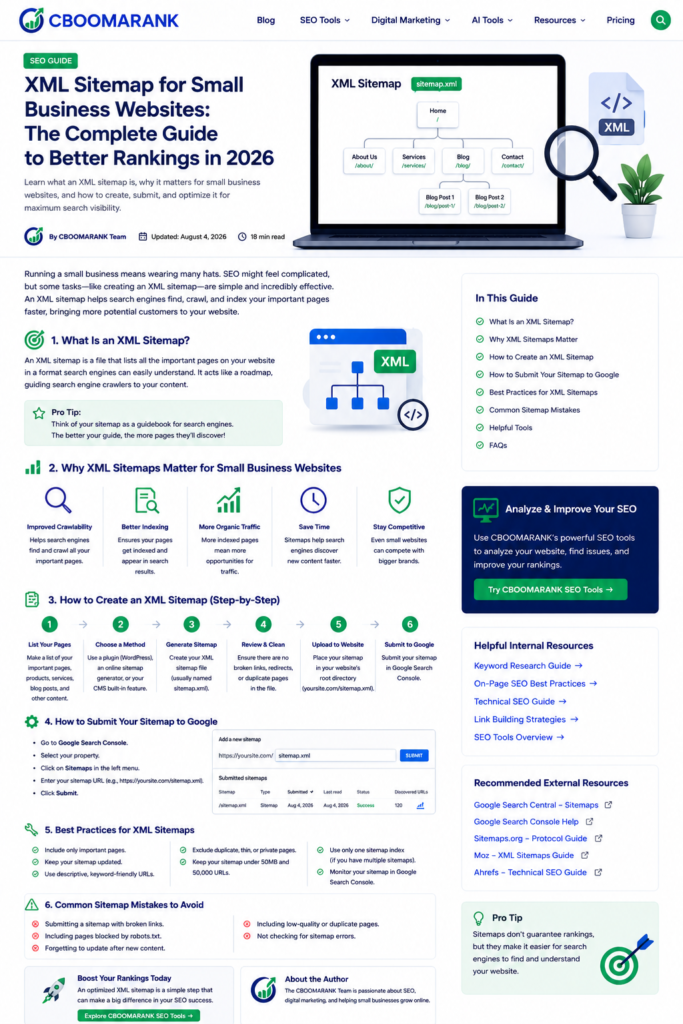
Method 1: Use WordPress core or an SEO plugin
Modern WordPress installations can expose a core sitemap, commonly at /wp-sitemap.xml. SEO plugins such as Yoast SEO or Rank Math often generate a sitemap index with separate post, page, category, product, or media sitemaps. Use one primary sitemap system to prevent confusion and unnecessary duplication.
Method 2: Use your CMS or ecommerce platform
Hosted website builders and ecommerce platforms commonly create and refresh sitemaps automatically. Confirm the exact sitemap URL in the platform documentation and check that it contains the preferred canonical URLs.
Method 3: Generate or code a sitemap
A static site or custom application can generate XML during deployment or through a scheduled process. Manual files are acceptable for tiny sites, but they become error-prone as pages change.
A Simple XML Sitemap Example
<?xml version=”1.0″ encoding=”UTF-8″?>
<urlset xmlns=”http://www.sitemaps.org/schemas/sitemap/0.9″>
<url>
<loc>https://www.example.com/services/</loc>
<lastmod>2026-08-01</lastmod>
</url>
</urlset>
Current Sitemap Rules That Matter
- A single sitemap is limited to 50 MB uncompressed or 50,000 URLs. Larger sites should use multiple sitemaps and a sitemap index.
- Google ignores the priority and changefreq values, so do not depend on them to influence crawling or rankings.
- Use lastmod only when it is consistently accurate and reflects a meaningful page change, not every minor template update or every time the sitemap is generated.
- All listed URLs should use the same preferred protocol and hostname, such as HTTPS and either the www or non-www version.
- A sitemap should be accessible without a login and return a successful response to Googlebot.
Google documents the 50 MB and 50,000 URL limits and its treatment of sitemap metadata. Review the current technical requirements.
How to Submit the Sitemap to Google
- Open Google Search Console and select the verified site property.
- Open Indexing > Sitemaps.
- Enter the sitemap path, such as sitemap_index.xml or wp-sitemap.xml.
- Click Submit.
- Review the status, last read date, discovered URL count, and reported errors.
Before submitting, confirm the sitemap is publicly accessible and can be fetched successfully. See the official Search Console Sitemaps report instructions.
Add the Sitemap to robots.txt
You may also advertise the sitemap through a Sitemap directive in the root robots.txt file:
Sitemap: https://www.example.com/sitemap_index.xml
This helps crawlers discover the sitemap, but it does not override crawl restrictions or noindex rules.
XML Sitemap Best Practices for Small Businesses
- Keep the sitemap automatically synchronized with published and removed content.
- Include only pages that are canonical, indexable, useful, and intended for search results.
- Maintain strong internal links; a sitemap should complement, not replace, navigation and contextual links.
- Segment large or complex sites by content type when separate reports will make diagnosis easier.
- Use accurate lastmod dates and omit the field if your system cannot maintain it reliably.
- Check the Search Console sitemap report after migrations, redesigns, HTTPS changes, or major URL updates.
- Use the URL Inspection tool to diagnose an important individual page rather than assuming the sitemap alone will cause indexing.
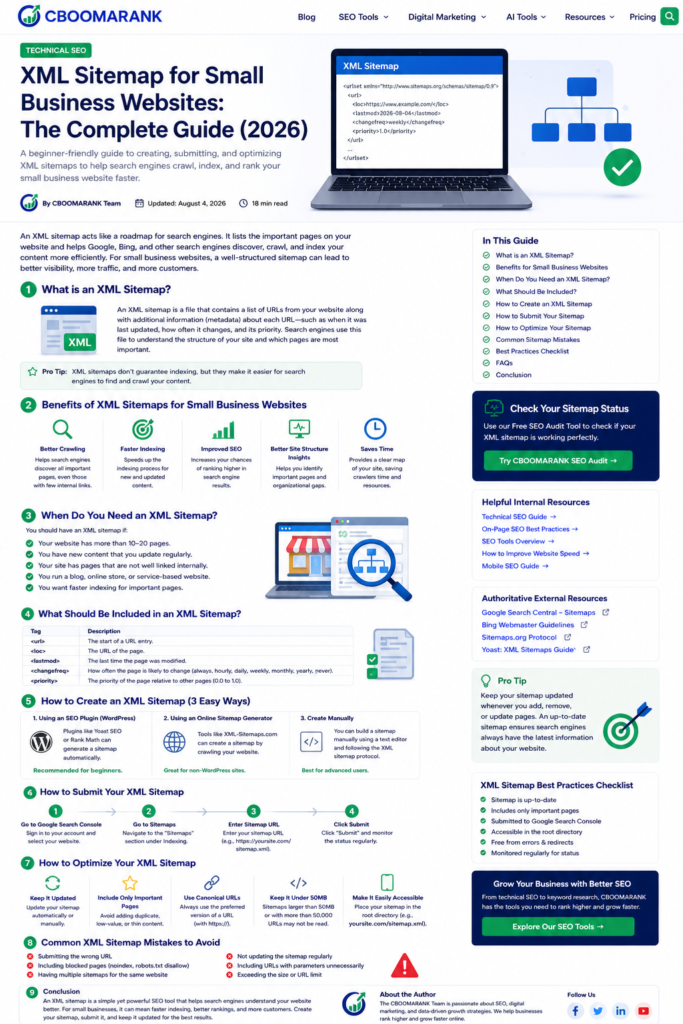
Original supporting image: XML sitemap best-practices checklist.
Common XML Sitemap Mistakes
| Mistake | Better approach |
| Including noindex, blocked, redirected, or duplicate URLs | List only preferred indexable canonical URLs |
| Using HTTP URLs after moving to HTTPS | Regenerate the sitemap with the current preferred URLs |
| Updating lastmod every day without a real content change | Update it only when page content changes meaningfully |
| Relying on priority or changefreq | Focus on internal links, useful content, and accurate lastmod data |
| Submitting many overlapping sitemaps without a reason | Submit one sitemap index or a clear, nonduplicative set |
| Expecting immediate crawling or guaranteed indexing | Use the sitemap as a discovery signal and investigate page quality and indexability separately |
Troubleshooting “Couldn’t Fetch” and Other Errors
- Open the sitemap URL in an incognito browser and confirm it is not behind a login, firewall challenge, or bot-verification screen.
- Check that it returns HTTP 200 and valid XML rather than an HTML error page.
- Confirm robots.txt, CDN, security plugins, and hosting rules are not blocking Googlebot.
- Make sure the sitemap URLs belong to the correct Search Console property and preferred hostname.
- Validate child sitemaps if a sitemap index is processed but reports zero discovered URLs.
- Use live URL inspection to verify that Google can fetch the sitemap or an affected page.
Recommended Internal Links for CBOOMARANK
- Technical SEO guide
- SEO best practices
- Keyword research tools
- International SEO guide
- Analyze competitor website traffic
- CBOOMARANK pricing
Authoritative External Resources
- Google: What is a sitemap?
- Google: Build and submit a sitemap
- Google Search Console Sitemaps report
- Google URL Inspection tool
- Sitemaps protocol
Frequently Asked Questions
Does an XML sitemap improve rankings?
Not directly. It can improve URL discovery and make sitemap-related indexing problems easier to diagnose, but ranking depends on relevance, quality, authority, usability, and many other signals.
How often should a sitemap be updated?
Update it whenever URLs are published, removed, or changed. Automated CMS sitemaps normally handle this continuously.
Should noindex pages be in a sitemap?
No. A sitemap should normally contain pages you want indexed, so including noindex URLs sends conflicting signals.
Should I submit every child sitemap separately?
Usually submitting the sitemap index is enough. Separate submissions can be useful when you want more detailed diagnostics in Search Console.
Can a small site use more than one sitemap?
Yes, but it is often unnecessary. Use separate files only when organization or reporting benefits justify them.
What is the best sitemap URL for WordPress?
It depends on the active system. WordPress core commonly uses /wp-sitemap.xml, while SEO plugins often use /sitemap_index.xml. Avoid running competing sitemap generators.
Conclusion
A clean XML sitemap is inexpensive technical SEO insurance for a small business website. It helps search engines discover important URLs, gives you a useful Search Console reporting surface, and supports faster diagnosis after new content, redesigns, migrations, or indexing changes.
Keep it simple: publish only canonical and indexable URLs, maintain accurate lastmod values, use one reliable generator, submit the sitemap in Search Console, and continue improving internal links and content quality. A sitemap is a roadmap—not a ranking shortcut.
