

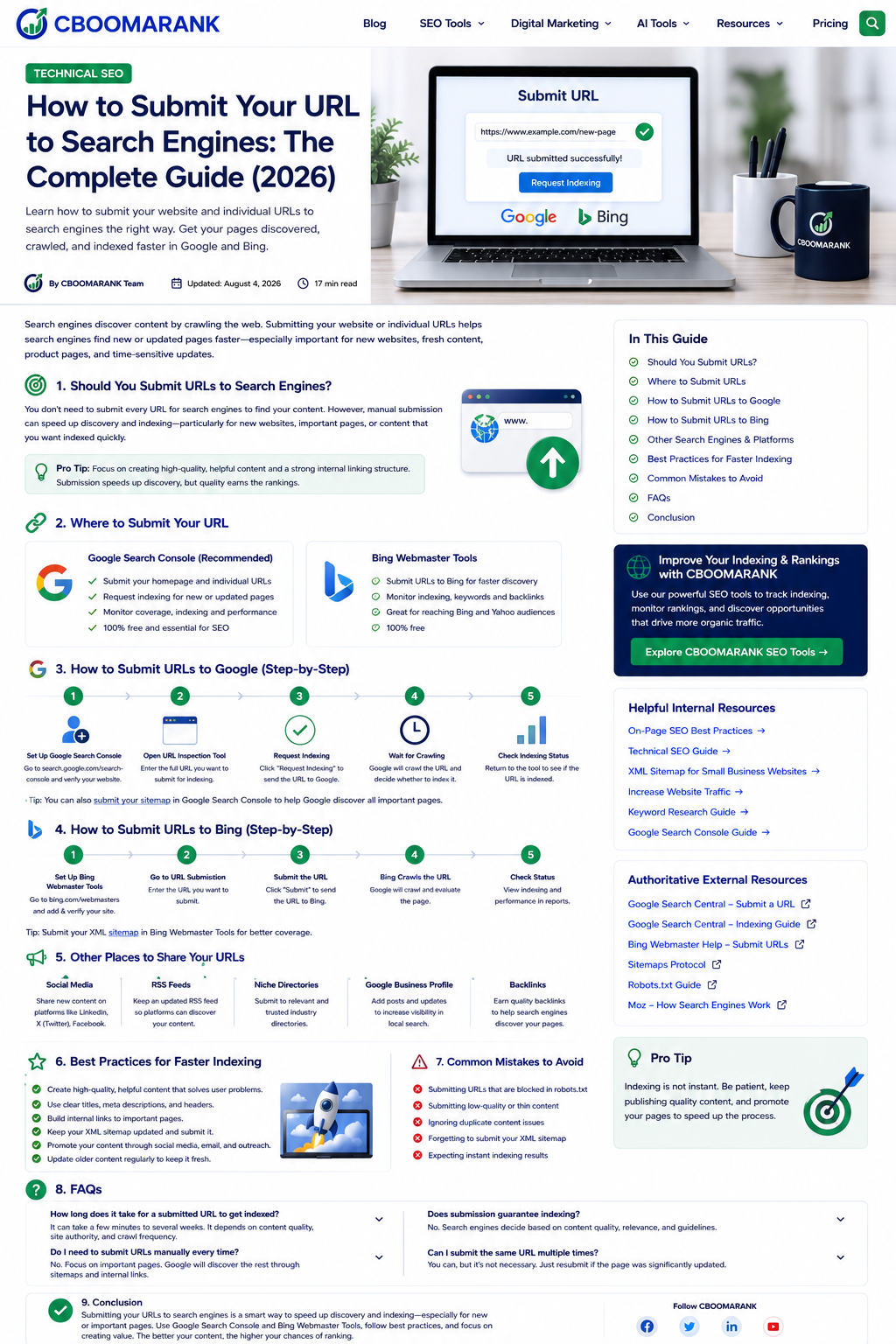
Introduction
Publishing a page does not mean it will appear in search results immediately. Search engines still need to discover the URL, crawl it, process the page, choose a canonical version, and decide whether the content belongs in their index. Strong internal links and an accurate XML sitemap usually handle discovery over time, but manual submission can be useful for a small number of important new or substantially updated pages.
The process has changed since the original CBOOMARANK article was published in 2023. Google no longer offers a public “add URL” form. Individual Google URLs are requested through the URL Inspection tool in Search Console, while larger groups of pages should be communicated through XML sitemaps. Bing supports manual URL submission, an API, and IndexNow, which is its preferred way to notify participating search engines when URLs are added, updated, or removed.
This guide explains what URL submission actually does, when to use it, how to submit URLs correctly, and what to investigate when a page still is not indexed.
What URL Submission Does – and Does Not Do
Submitting a URL is a discovery and recrawl signal. It tells a search engine that a page exists or has changed. It does not force the search engine to crawl the page immediately, include it in the index, or rank it for a keyword.
- It can help search engines discover an important new page sooner.
- It can prompt a recrawl after a meaningful content, structured-data, or technical update.
- It cannot override robots.txt blocks, a noindex directive, authentication, server errors, or a conflicting canonical.
- It does not improve rankings by itself. Rankings depend on relevance, quality, usability, links, and many other signals.
- Repeatedly submitting the same unchanged URL does not make Google crawl it faster.
When Should You Submit a URL?
- A new website has launched and its most important pages have few external or internal links.
- You published an important landing page, article, product page, or service page.
- You substantially revised a page and need the search engine to reprocess the changes.
- You fixed a technical problem that previously prevented crawling or indexing.
- You changed a URL, implemented a redirect, or removed content and want Bing to discover the change through IndexNow.
- You are troubleshooting a specific URL that is absent from the index.
Do not manually submit every routine blog post forever. A healthy website should make pages discoverable through crawlable internal links, a current sitemap, and a logical site structure.
The Best URL Submission Methods
| Method | Best for | Search engines | Important limitation |
| Google URL Inspection | A few priority URLs | Requires verified Search Console access and has a quota. | |
| XML sitemap | Ongoing discovery of many URLs | Google, Bing and other engines | A sitemap is a hint and does not guarantee indexing. |
| Bing Submit URLs | Manual submission of specific URLs | Bing | Manual workflow; repeated submission does not speed indexing. |
| IndexNow | Automated notifications for additions, updates and removals | Participating engines led by Bing | Not a replacement for crawlability, sitemaps, or quality. |
| Internal links | Normal discovery and authority flow | All crawlers | Pages buried or orphaned may still be missed. |
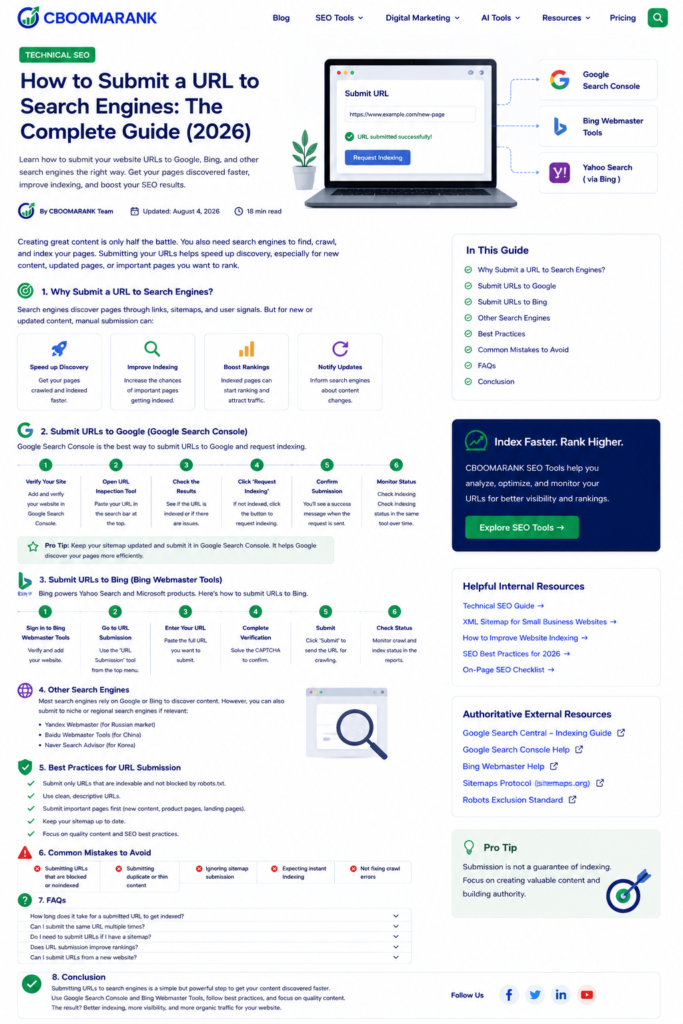
Original supporting image: Google and Bing URL-submission workflow.
How to Submit a URL to Google
Method 1: Request indexing with URL Inspection
- Open Google Search Console and select the verified property that contains the URL.
- Paste the complete canonical URL into the inspection bar at the top of the interface.
- Review the current index status and any reported crawl, canonical, mobile, or enhancement information.
- Use Test Live URL when you need to confirm that Google can currently fetch and render the page.
- If the page is eligible and the change is important, select Request Indexing.
- Return later to monitor the URL. A successful request is not an indexing guarantee.
Google says URL Inspection is designed for requesting a crawl of a few individual URLs. There is a submission quota, and sending the same URL repeatedly will not accelerate crawling. Read Google’s official recrawl guidance.
Method 2: Submit or update an XML sitemap
For a site with multiple new or updated URLs, maintain an XML sitemap containing canonical, indexable pages and submit it in Search Console. Most modern content-management systems generate the sitemap automatically. A sitemap helps Google discover important URLs and understand update signals, but it does not command Google to index every listed page.
CBOOMARANK readers can use the related XML sitemap guide for small business websites for creation, optimization, and troubleshooting steps.
How to Submit URLs to Bing
Method 1: Bing Webmaster Tools URL Submission
- Sign in to Bing Webmaster Tools and select your verified domain.
- Open the URL Submission area.
- Enter one complete URL per line and submit the request.
- Review submission history and use URL Inspection if the page has crawl or indexing problems.
Bing currently documents a manual allowance of up to 10,000 URLs per domain per day, with the quota resetting at midnight UTC. This is an upper limit, not a recommendation to submit thousands of low-value URLs.
Open Bing’s official URL Submission documentation.
Method 2: Use IndexNow for faster change notifications
IndexNow is designed for publishing systems and sites that need to notify participating search engines when a URL is created, updated, or deleted. It is especially useful for news, ecommerce inventory, marketplaces, job listings, and frequently changing content. Many WordPress SEO and caching plugins support IndexNow, or a developer can implement the protocol directly.
IndexNow does not guarantee indexing. The page must still be crawlable, useful, canonical, and technically valid. Bing recommends IndexNow where possible instead of relying entirely on its older URL Submission API.
Review Bing Webmaster Guidelines for URL discovery and IndexNow.
What About Yahoo, DuckDuckGo and Other Search Engines?
The original article described direct public submission pages for Yahoo and DuckDuckGo. Those instructions are no longer a reliable general workflow. For broad coverage, prioritize Google Search Console, Bing Webmaster Tools, XML sitemaps, crawlable links, and IndexNow. Smaller or regional search engines may provide their own webmaster systems, so consult their current official documentation before targeting a specific country or audience.
Do not pay a bulk “submit to hundreds of search engines” service. Modern search discovery is not improved by sending a page to directories or obscure submission forms, and low-quality services can create spam and security risks.
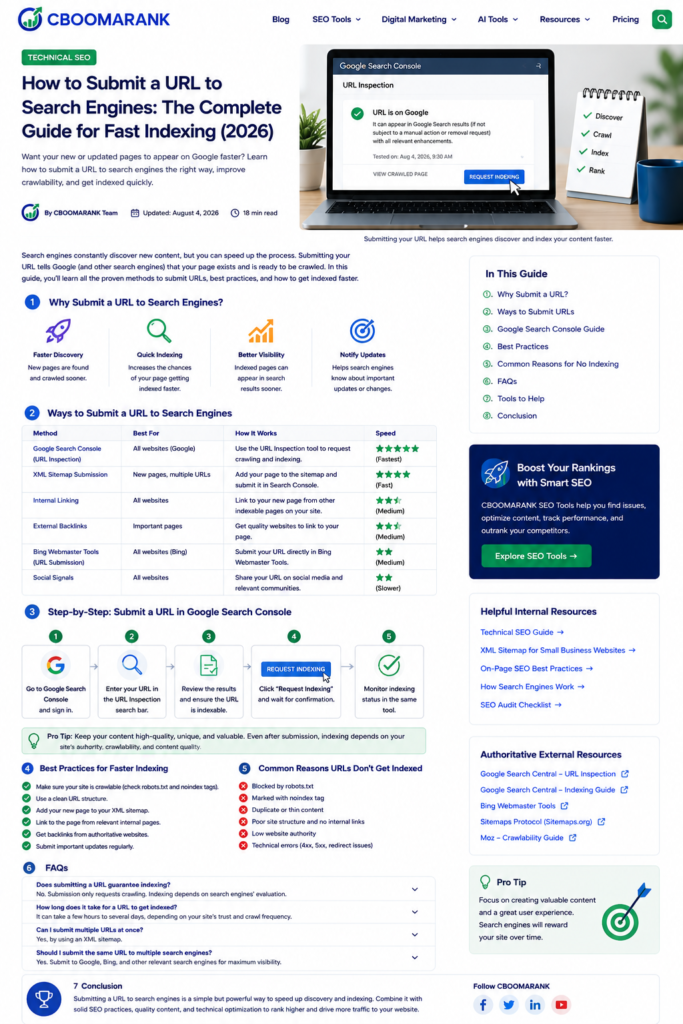
Before You Request Indexing: Technical Checklist
- The URL returns HTTP 200 and is accessible without login, geolocation barriers, or broken scripts.
- The page is not blocked by robots.txt.
- There is no noindex directive in the HTML or HTTP response.
- The canonical points to the URL you actually want indexed.
- The page contains substantial, original content that satisfies a clear user need.
- The mobile version contains the primary content and metadata.
- The URL is linked from at least one relevant, indexable page on the website.
- The URL is included in the correct XML sitemap when appropriate.
- Redirects, soft 404s, duplicate parameters, and server errors have been resolved.
For a complete site-health review, follow the CBOOMARANK technical SEO guide before repeatedly requesting indexing.
Why a Submitted URL May Still Not Be Indexed
| Possible cause | What to do |
| Blocked or inaccessible | Fix robots.txt, authentication, DNS, server, firewall, or rendering issues. |
| Noindex directive | Remove noindex only when the page should genuinely appear in search. |
| Duplicate or alternate page | Consolidate duplicates and use consistent canonicals and internal links. |
| Soft 404 or thin page | Add meaningful main content or return the correct 404/410 status. |
| Crawled – currently not indexed | Improve originality, usefulness, internal linking, and overall site quality; then allow time. |
| Discovered – currently not indexed | Improve discovery signals, server reliability, crawl efficiency, and sitemap accuracy. |
| Recently changed | Wait for crawling and processing; avoid repeated requests. |
How to Check Whether a URL Is Indexed
- Use Google Search Console URL Inspection for the most reliable Google-specific status.
- Use Bing Webmaster Tools URL Inspection for Bing crawl and index information.
- Check Search Console Pages or indexing reports to identify sitewide patterns.
- Monitor impressions and clicks in the Search Console Performance report after indexing.
- Use a site: search only as a quick informal check; it is not a complete or authoritative index report.
Best Practices for Faster Discovery and Sustainable Indexing
- Publish useful content written for a real audience, not pages created only to occupy a keyword.
- Link new pages from relevant hubs, categories, navigation, and older articles.
- Keep XML sitemap last-modified dates accurate and include only canonical indexable URLs.
- Use descriptive URLs, titles, headings, and internal anchor text.
- Earn legitimate external links and mentions for important pages.
- Maintain fast, stable hosting and fix repeated 5xx or timeout errors.
- Update important older pages when information changes materially.
- Monitor indexing patterns instead of treating every page as an isolated submission problem.
Related CBOOMARANK resources: SEO best practices | keyword research tools | link-building tools | international SEO
Frequently Asked Questions
Does submitting a URL guarantee indexing?
No. Submission requests discovery or recrawling. The search engine still decides whether the page is crawlable, canonical, useful, and suitable for its index.
How long does Google indexing take?
There is no fixed time. Discovery, crawling, processing, and indexing can take from hours to weeks depending on the page, site, server, links, and crawl patterns.
Should I submit the same URL every day?
No. Repeated requests do not speed up Google crawling. Submit after publication or a meaningful fix, then monitor and allow time.
Should I submit every new blog post manually?
Usually not. A well-linked site with an accurate sitemap should allow normal discovery. Manual inspection is best reserved for a few priority pages or troubleshooting.
Can IndexNow submit URLs to Google?
IndexNow is used by participating search engines and is strongly associated with Bing. Google Search uses Search Console, sitemaps, and normal crawling rather than IndexNow as a general submission method.
Does submitting a URL improve rankings?
No. It can help the page get discovered or refreshed, but it does not create relevance, authority, or quality signals by itself.
Conclusion
The most reliable modern submission strategy is simple: make every important URL crawlable and useful, connect it with internal links, maintain an accurate XML sitemap, use Google URL Inspection for a small number of priority pages, and use Bing Webmaster Tools or IndexNow when appropriate. Submission can speed discovery, but the long-term solution is a technically healthy site with content worth indexing.
CBOOMARANK can use this article to direct readers toward technical audits, keyword research, link analysis, and ongoing search-performance monitoring rather than outdated mass-submission services.
Contextual Internal Links Included
- XML Sitemap for Small Business Websites
- Technical SEO Guide
- SEO Best Practices
- Keyword Research Tools
- Link Building Tools
- International SEO
- CBOOMARANK Pricing
