

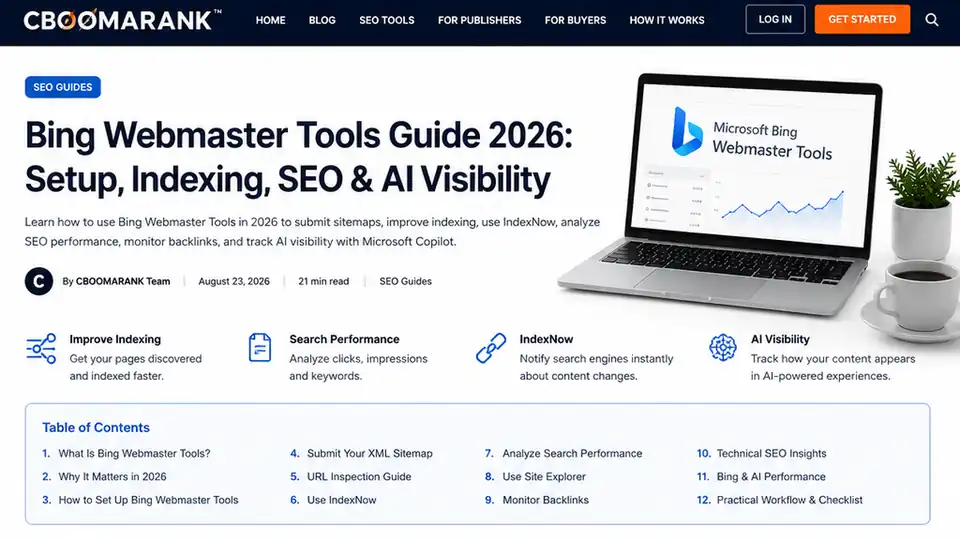
Google may dominate many SEO conversations, but focusing exclusively on Google can leave valuable search visibility unexplored.
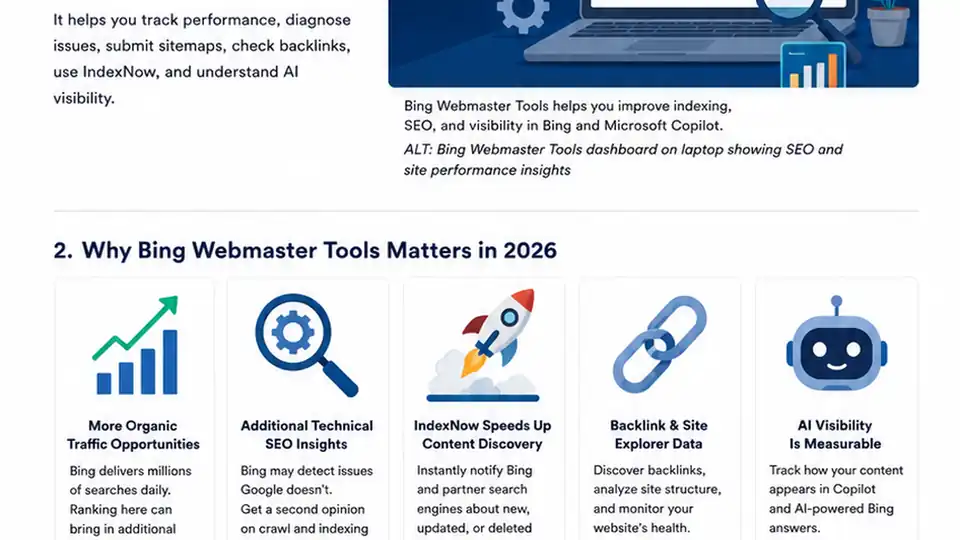
Bing Webmaster Tools is Microsoft’s free platform for helping website owners understand how Bing discovers, crawls, indexes and displays their content. It provides search-performance data, URL inspection, sitemap management, backlink information, technical SEO diagnostics, IndexNow reporting and other tools that can help improve organic visibility.
In 2026, Bing Webmaster Tools is especially relevant because search is no longer limited to traditional results pages. Microsoft is combining search with AI-powered experiences such as Microsoft Copilot and AI-generated Bing answers. Bing has also introduced AI Performance reporting to help publishers understand when their pages are referenced in supported AI-generated experiences.
That gives Bing Webmaster Tools two jobs: improving visibility in traditional Bing Search and helping you understand how content participates in AI-powered discovery.
What Is Bing Webmaster Tools?
Bing Webmaster Tools is a free website-management and search-performance platform provided by Microsoft. It serves a similar general purpose to Google Search Console, although each platform has its own reports, data and diagnostic features.
- Monitor organic search impressions and clicks.
- Discover keywords generating visibility.
- Check whether URLs are indexed and inspect individual webpages.
- Submit XML sitemaps and updated URLs.
- Diagnose crawling, indexing, canonical and robots.txt issues.
- Review backlinks and site structure.
- Monitor IndexNow submissions.
- Identify technical SEO problems.
- Understand selected AI citation activity.
You do not need to choose between Bing Webmaster Tools and Google Search Console. For most websites, the better strategy is to use both.
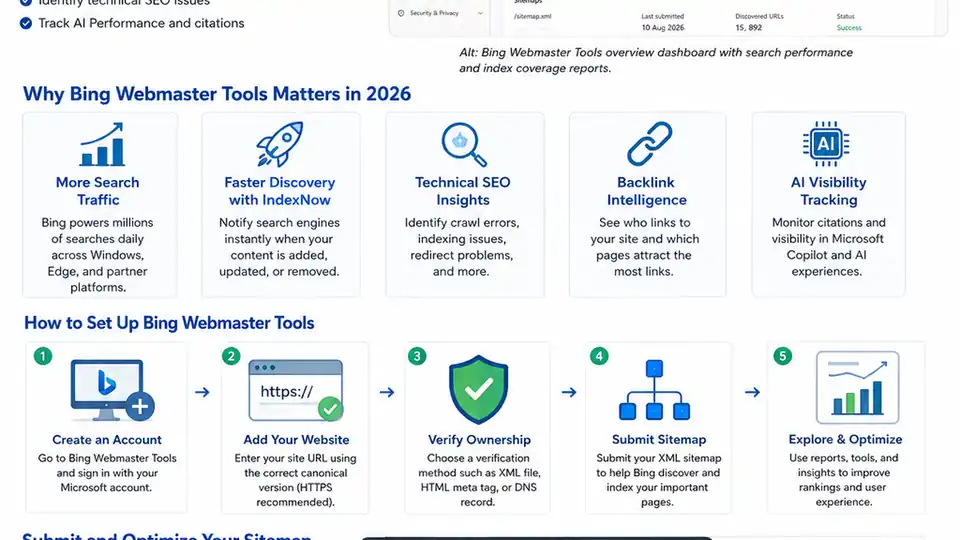
Why Bing Webmaster Tools Matters in 2026
It gives you additional organic search data
Your website may rank differently on Bing than it does on Google. Bing Webmaster Tools lets you see Bing-specific queries, pages, impressions and clicks instead of assuming search-engine performance is identical.
It provides another technical SEO perspective
Search engines do not always encounter the same crawling and indexing problems. Running Google Search Console alongside Bing Webmaster Tools gives you an additional diagnostic source for redirects, blocked URLs, server errors, canonical inconsistencies and other technical issues.
IndexNow can speed up content discovery
IndexNow lets websites notify participating search engines when a URL is published, updated or deleted. It does not guarantee indexing or rankings, but it can reduce the delay between a meaningful site change and search-engine discovery.
AI search visibility is becoming measurable
Bing’s AI Performance experience gives publishers an additional way to understand how pages are referenced in supported Microsoft AI experiences. Citation data should complement, not replace, conventional SEO metrics.
How to Set Up Bing Webmaster Tools
Step 1: Create or access your account
Open Bing Webmaster Tools, sign in using a supported account and add the website you want to manage. Use the correct canonical HTTPS version of your site.
Step 2: Verify website ownership
Bing must confirm that you control the site before it provides private search and technical data. Follow one of the verification methods available in your account, such as DNS, an HTML file or another supported option.
Step 3: Confirm the preferred website version
Make sure your site consistently uses the canonical version and that HTTP, www/non-www and other secondary variants redirect appropriately.
Submit Your XML Sitemap to Bing
One of the first tasks after verification is submitting your XML sitemap. A sitemap helps search engines discover canonical, indexable URLs that you want crawled. Common WordPress sitemap locations include /sitemap_index.xml or /wp-sitemap.xml, depending on your CMS and SEO configuration.
What should be included in a sitemap?
- Important blog posts and evergreen guides.
- Service and product pages.
- Useful category and landing pages.
- Canonical URLs intended to appear in organic search.
Avoid filling the sitemap with redirects, 404 pages, noindex pages, duplicate URLs, tracking URLs, internal search results or thin utility pages.
How to Use URL Inspection
The URL Inspection tool is one of the most useful features in Bing Webmaster Tools. It can help diagnose whether a specific page is indexed, accessible to Bingbot, returning the correct HTTP status or affected by technical and SEO issues.
When should you inspect a URL?
- A new page is not appearing in Bing.
- An important page disappears from search.
- You changed a canonical tag, redirect, robots.txt rule or noindex directive.
- You published a major content update.
- You suspect Bingbot is seeing something different from users.
Fix the underlying issue before repeatedly requesting indexing.
Use IndexNow for Faster URL Discovery
IndexNow adds an active notification mechanism to the traditional crawling process. When a meaningful URL changes, your website can notify participating search engines rather than waiting for a crawler to discover the change later.
- Publish a new article.
- Update an important existing article.
- Change product availability or pricing.
- Permanently remove a page.
- Make a substantial landing-page update.
IndexNow does not guarantee indexing or rankings. Search engines still decide whether to crawl, index, keep and rank the URL.
Analyze Search Performance
Search-performance reports help you understand which pages and queries are already earning visibility in Bing. The goal is to turn impressions and clicks into practical optimization decisions.
High impressions but few clicks
A page with many impressions and few clicks may already be relevant enough to appear frequently but may have a weak title, meta description, value proposition or intent match. Improving those elements can raise click-through rate without rewriting everything.
Queries and pages close to stronger positions
- Expand incomplete sections and answer related questions.
- Improve internal linking.
- Add useful original examples and updated information.
- Strengthen headings and topical coverage.
- Make the introduction satisfy search intent faster.
Use Site Explorer to Understand Your Website
Site Explorer gives you a search-engine-oriented view of your URL structure. On larger sites, it can expose patterns across folders and sections, including indexed URLs, redirects, server errors, robots restrictions, noindex pages and discovered URLs that have not yet been crawled.
Monitor Backlinks
Backlink information provides another source for understanding who references your content and which pages naturally attract links. Focus on patterns and relevance rather than obsessing over every individual backlink.
- Which pages attract links naturally?
- Which websites repeatedly reference your brand?
- Which content formats earn the most links?
- Which important pages need stronger internal and external support?
Use Bing Webmaster Tools for Technical SEO
HTTP status codes
Investigate 404 and 410 responses, 5xx server failures, incorrect 403 responses, redirect loops and long redirect chains.
Canonical tags
Confirm that important pages point to the correct preferred URL and that tracking parameters or protocol/domain variants do not create unnecessary duplication.
Robots.txt and noindex directives
A single incorrect robots.txt rule or noindex directive can block valuable content. Check important URLs regularly, especially after site migrations or SEO-plugin changes.
Internal linking
Important pages should not exist as isolated islands. Build logical contextual links between blog articles, products, categories, service pages, comparison pages and tools.
Bing Webmaster Tools and AI Performance
Traditional SEO analytics asks whether someone saw or clicked your page in search. AI-search analytics introduces another question: was your content referenced as a source when an AI system generated an answer?
Where AI Performance is available, use it to identify pages and topics that receive citations, then look for patterns in content quality, depth, freshness, entity clarity and supporting evidence.
- Which pages receive citations most frequently?
- Which topics appear in grounding queries?
- Are recently updated pages being referenced?
- Do detailed guides outperform thin pages?
- Which subject areas demonstrate the strongest AI visibility?
Do not rewrite articles merely to chase AI citations. Accurate, well-structured, useful content remains the stronger long-term strategy.
Bing Webmaster Tools vs Google Search Console
| Feature | Bing Webmaster Tools | Google Search Console |
|---|---|---|
| Search performance | Yes | Yes |
| Sitemap submission | Yes | Yes |
| URL inspection | Yes | Yes |
| Indexing diagnostics | Yes | Yes |
| Backlink information | Yes | Yes |
| IndexNow ecosystem support | Strong | Different discovery mechanisms |
| Bing Search data | Yes | No |
| Google Search data | No | Yes |
| Microsoft AI visibility reporting | Available in Bing’s evolving AI reports | Google-specific reporting differs |
Neither webmaster platform replaces a broader SEO suite. CBOOMARANK can complement them with keyword research, competitor analysis, backlink intelligence, authority metrics and optimization recommendations.
A Practical Bing Webmaster Tools Workflow
After publishing new content
- Confirm the page returns HTTP 200.
- Check the canonical URL.
- Add useful internal links.
- Make sure the URL appears in the sitemap.
- Use IndexNow when appropriate.
- Inspect the URL if indexing problems occur.
Weekly
- Review new crawl problems.
- Check important indexing changes.
- Review queries and pages gaining impressions.
- Investigate visibility losses.
- Review new backlinks and IndexNow activity.
Monthly
- Refresh declining articles.
- Improve low-click-through-rate pages.
- Audit redirects and sitemap health.
- Review important canonical tags.
- Analyze internal and external linking patterns.
- Review AI Performance data where available.
Quarterly
Combine Bing data with Google Search Console, analytics, keyword rankings, competitor analysis, backlink reports, technical audits and conversion data.
Common Bing Webmaster Tools Mistakes
1. Setting it up and never checking it again
Verification alone provides little value. Review the reports regularly and turn findings into actions.
2. Submitting a poor-quality sitemap
Keep sitemaps focused on canonical, useful, indexable pages.
3. Assuming URL submission guarantees rankings
Submission can help discovery, but it cannot force a search engine to rank weak content.
4. Ignoring crawl errors
Technical problems can prevent otherwise excellent content from being indexed.
5. Changing SEO elements without measuring results
Record major changes and review performance after the page has been recrawled.
6. Treating Bing exactly like Google
The principles overlap, but each engine has its own systems and data. Measure actual performance.
7. Ignoring AI visibility data
AI discovery is becoming another way people encounter websites and brands, so include it in your broader measurement strategy where available.
How to Improve Your Chances of Ranking on Bing
- Publish genuinely useful content: Answer the searcher’s question clearly and completely.
- Keep content current: Update facts, statistics, screenshots, product details and technical instructions when they become outdated.
- Improve website architecture: Make important pages easy to reach through navigation and contextual internal links.
- Earn legitimate backlinks: Create resources worth citing instead of relying on spammy link schemes.
- Improve page experience: Prioritize speed, mobile usability, security, accessibility and clear navigation.
- Use descriptive titles and headings: Help users and search engines understand each page quickly.
- Strengthen topical authority: Build connected content clusters around subjects where your site has expertise.
Bing Webmaster Tools Checklist
- Add the website to Bing Webmaster Tools and verify ownership.
- Confirm the canonical domain and submit the XML sitemap.
- Check sitemap processing and inspect important URLs.
- Review indexing problems and configure or verify IndexNow.
- Review search-performance data, Site Explorer and backlinks.
- Fix crawl errors and confirm robots.txt and canonical settings.
- Check internal linking and review AI Performance where available.
- Repeat technical checks regularly.
Frequently Asked Questions
Is Bing Webmaster Tools free?
Yes. Bing Webmaster Tools is provided by Microsoft as a free platform for website owners and SEO professionals.
Is Bing Webmaster Tools worth using?
Yes. It provides Bing-specific search, crawl, indexing, backlink, technical and increasingly AI-visibility information that Google Search Console does not provide.
Do I still need Google Search Console?
Yes. For most websites, the best approach is to use both platforms rather than choosing one.
How do I get my website indexed by Bing?
Make sure Bing can crawl the site, submit a clean sitemap, build crawlable internal links, remove accidental blocking directives and use URL Inspection to diagnose specific pages. IndexNow can also notify participating search engines about important changes.
Does submitting a URL guarantee Bing will index it?
No. Submission improves discovery, but search engines still decide which URLs qualify for crawling, indexing and ranking.
What is IndexNow?
IndexNow is a protocol that lets websites notify participating search engines when URLs are added, updated or removed.
Can Bing Webmaster Tools help with AI search?
Bing’s evolving AI Performance reporting is intended to give publishers information about citations and page references in supported Microsoft AI experiences.
How often should I check Bing Webmaster Tools?
For most small and medium websites, a weekly check plus a detailed monthly review is sufficient. Large or frequently updated websites may benefit from more frequent monitoring.
Final Thoughts
Bing Webmaster Tools deserves a place in a modern SEO toolkit. It gives website owners another source of search-performance information, indexing diagnostics, crawling insights, backlink data, sitemap monitoring, URL inspection and technical SEO information.
IndexNow makes it especially useful for websites where content changes frequently, while Microsoft’s expanding AI reporting adds another layer of visibility into AI-powered content discovery.
The strongest strategy is not to optimize for Bing while ignoring Google, or vice versa. Use Bing Webmaster Tools alongside Google Search Console, analytics, keyword research, technical audits, backlink analysis, competitor intelligence and platforms such as CBOOMARANK.
