


Technical SEO tools help teams answer a question that becomes harder as a website grows: what is preventing search engines and users from reaching, understanding and efficiently using the pages that matter?
The best technical SEO software in 2026 goes beyond finding missing titles. A useful stack should help with crawling, indexability, canonicals, redirects, JavaScript rendering, internal linking, structured data, Core Web Vitals, XML sitemaps, monitoring and prioritization. The real value is not the number of warnings a crawler can produce. It is how quickly a team can turn those warnings into verified improvements.
Best Technical SEO Tools in 2026: Quick Comparison
No single platform is automatically best for every website. The right choice depends on whether your priority is continuous auditing, deep crawling, indexing diagnosis, page performance, competitor intelligence or a connected SEO workflow.
Also useful: Sitebulb is strong for visual technical-audit reporting, while Google Search Console and PageSpeed Insights remain essential free diagnostic tools.
What a Modern Technical SEO Tool Should Actually Do
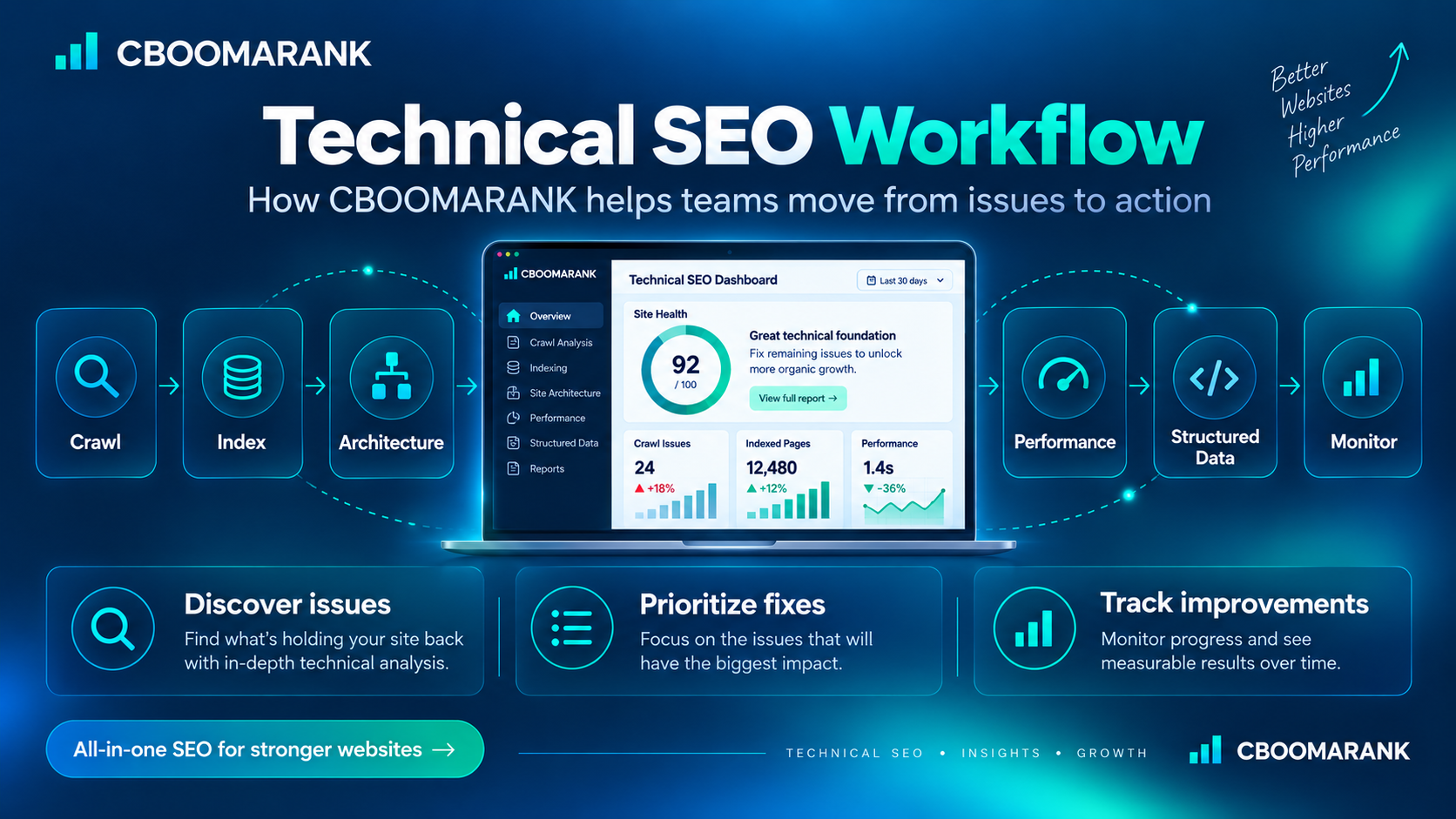
A crawler is only one layer of technical SEO. Modern teams need a workflow that moves through discovery, diagnosis, prioritization, implementation, validation and monitoring.
A practical technical SEO system should help answer six connected questions:
Crawlability, robots rules, server responses, redirects and rendering need to work before deeper optimization matters.
Canonicals, noindex directives, duplicates, sitemaps and URL variants determine which version should appear in search.
Internal links, crawl depth, information architecture and orphan-page recovery connect valuable content.
Performance, structured data and monitoring then determine whether the site remains technically healthy as templates, plugins, JavaScript and content change.
Top Technical SEO Tools Reviewed
CBOOMARANK: Best for a Connected SEO Workflow
CBOOMARANK Pick
CBOOMARANK is designed around a broader idea than simply producing another crawl export. Technical findings are more useful when they remain connected to website context, keyword research, competitor research, reporting and the workflows that happen after analysis.
That connected approach is the main reason CBOOMARANK stands out in this guide. A technical issue rarely exists in isolation. A weak page may also have declining rankings, poor internal support, competitor pressure or an opportunity to improve content. Keeping those signals closer together can reduce the amount of manual spreadsheet work between diagnosis and implementation.
- Integrated website and SEO analysis.
- Keyword and competitor research in the wider CBOOMARANK workspace.
- SEO audit and reporting workflows.
- Publisher and content workflows connected with SEO context.
- Designed around prioritization rather than an undifferentiated warning list.
Where CBOOMARANK should continue to differentiate: actionability, trustworthy data, clear prioritization and seamless movement from finding an opportunity to implementing or commissioning the work.
Explore CBOOMARANK or review CBOOMARANK pricing.
Semrush Site Audit: Best Broad Third-Party Audit Suite
All-in-One
Semrush Site Audit combines crawling, site-health reporting and issue prioritization with the wider Semrush ecosystem. Its current technical SEO product identifies a broad range of technical issues and ranks problems by severity so teams can decide where to begin.
The biggest advantage is context. Technical auditing can sit beside keyword research, competitor analysis, position tracking, reporting and other marketing workflows. Semrush has also expanded its audit workflow to include accessibility checks for major AI crawlers.
- Strong site-health and issue-severity workflow.
- Broad technical and on-page coverage.
- Useful reporting for agencies and in-house teams.
- Connected with Semrush keyword, competitor and visibility tools.
Limitation: teams that only need a crawler may be paying for more platform breadth than they require.
Ahrefs Site Audit: Best with Backlink and Organic Research
SEO Suite
Ahrefs Site Audit crawls websites, groups technical and on-page problems into reports and provides recommendations for fixing them. Ahrefs currently documents more than 170 issue checks across categories including indexability, links, redirects, images, JavaScript, CSS, robots, sitemaps and structured data.
Its strongest strategic advantage is the surrounding Ahrefs ecosystem. A team investigating a weak page can move from technical health into backlinks, organic competitors, keyword opportunities and content research without changing platforms.
- Detailed site audit reports.
- JavaScript execution for rendered-site analysis.
- Strong connection with backlink and organic-search research.
- Useful visualizations and health reporting.
Limitation: advanced users who need highly customized crawl configuration may still pair it with a specialist crawler.
Screaming Frog SEO Spider: Best for Deep Crawl Control
Technical
Screaming Frog remains one of the most flexible specialist crawlers available. It can inspect broken links, redirects, metadata, directives, canonicals, duplicate content, structured data, JavaScript-rendered pages, internal architecture and custom extracted data.
The product is especially valuable when an audit requires configuration rather than only a default health score. Technical teams can change crawl behavior, connect external APIs, extract custom page elements, compare crawls and automate recurring audits.
- Extensive crawl configuration.
- JavaScript rendering with integrated Chromium.
- Custom extraction and source-code search.
- GA, Search Console and PageSpeed Insights integrations.
- Strong crawl comparison and staging-validation workflows.
Limitation: the interface and depth can be intimidating for non-technical users.
Sitebulb: Best for Visual Technical SEO Audits
Visual Audit
Sitebulb combines technical crawling with visual audit reports, hints and explanations designed to make large sets of crawl data easier to interpret and communicate.
Its technical audit workflow spans crawlability and indexability, internal linking, on-page elements, performance, mobile experience, structured data and international implementation. It also supports JavaScript crawling and integrations that can enrich crawl data.
- Clear audit visualization and issue education.
- Useful crawl maps and architecture analysis.
- JavaScript crawling.
- Strong reporting for client and internal communication.
- Desktop and cloud workflows.
Limitation: organizations that already have a broad SEO suite may view it as an additional specialist subscription.
Google Search Console: Essential First-Party Google Data
Free
Google Search Console is not a replacement for a full crawler, but no serious technical SEO workflow should ignore it. It provides first-party information about search performance, indexing, sitemap processing and how Google sees individual URLs.
A crawler tells you what your website appears to be doing technically. Search Console helps you compare that expectation with what Google is actually processing and reporting.
- Search queries, clicks, impressions and average position.
- Indexing and sitemap information.
- URL-level inspection and validation workflows.
- Direct Google-generated issue notifications.
Limitation: it does not provide the same full-site configurable crawl environment as specialist audit software.
PageSpeed Insights and Lighthouse: Best for Performance Diagnosis
Free
Technical SEO includes more than crawlability. Slow rendering, large resources, layout instability and delayed interactions can damage user experience even when a page is perfectly indexable.
PageSpeed Insights and Lighthouse are valuable because they provide a focused view of performance and front-end quality. Use them to reproduce problems identified through wider audits and to validate improvements after implementation.
- Performance and Core Web Vitals diagnostics.
- Useful lab testing for front-end problems.
- Actionable opportunities for developers.
- Free and easy to pair with larger audit tools.
Bing Webmaster Tools: Best Additional Search-Engine Diagnostics
Free
Bing Webmaster Tools includes Site Scan, an on-demand audit that crawls a website and checks for common technical SEO issues. It also provides indexing, URL submission and webmaster diagnostics for Bing.
Even when Google produces most organic traffic, a second first-party search-engine perspective can expose assumptions that should be checked rather than accepted automatically.
- On-demand Site Scan.
- Bing indexing and webmaster information.
- URL submission capabilities.
- Useful free complement to other technical tools.
Why Prioritization Matters More Than the Number of Issues
A technical audit can easily produce hundreds or thousands of warnings. Treating them all as equal is one of the fastest ways to waste development time.
A better workflow weighs severity against the number of affected URLs, organic traffic, business value, implementation risk and whether one template-level fix can solve the same problem across many pages.
Blocked indexing, broken templates, server failures, serious rendering failures and problems that prevent valuable pages from being accessed.
Weak architecture, redirect chains, duplicated templates, poor internal linking, structured-data problems and significant performance issues.
Lower-impact cleanup, presentation refinements and optimization opportunities that should follow technical blockers.
How CBOOMARANK Can Stand Out in the Technical SEO Market
The technical SEO category is already crowded. CBOOMARANK should not try to win by creating another list of crawl errors that looks like every established platform.
The stronger opportunity is to connect technical SEO with the rest of the work users need to perform. That means turning a problem into a workflow:
Discover → understand impact → connect keyword and competitor context → prioritize → implement → validate → report.
That model fits CBOOMARANK's broader product direction. Website analysis, keyword research, competitor research, reporting and publisher workflows can become more valuable when they reinforce one another rather than acting like separate pages.
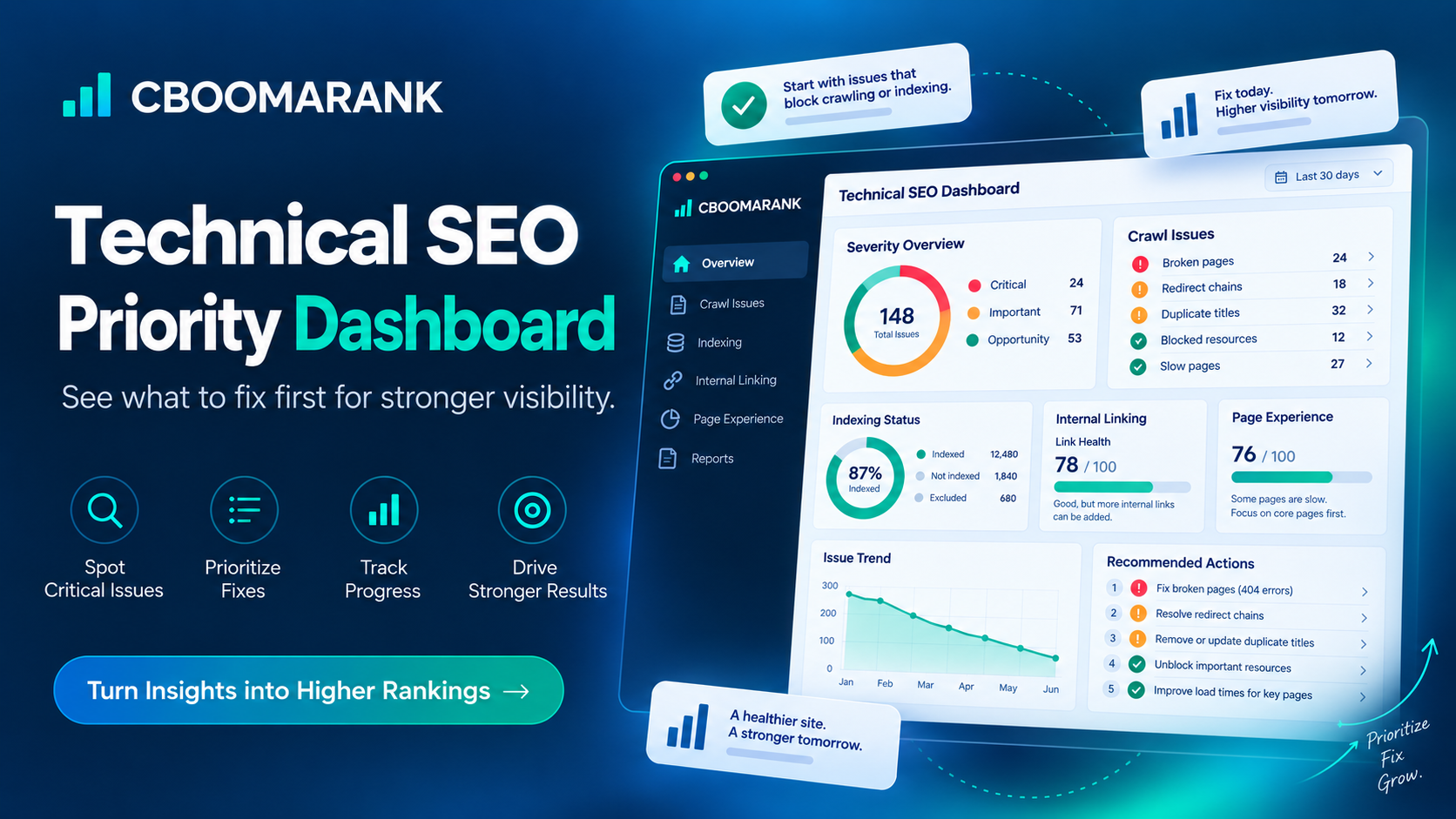
1. Make prioritization a product advantage
Instead of showing users 148 errors and leaving them to decide what matters, CBOOMARANK should clearly answer: which three issues should be fixed first, why, what URLs are affected and what business or search outcome could improve?
2. Keep technical findings connected to search demand
A technical issue on a page with no demand is not always equal to the same issue on a high-value landing page. Connecting audits with keyword and competitor context can make recommendations more commercially useful.
3. Make validation part of the workflow
After a change is implemented, CBOOMARANK should make it easy to confirm whether the issue disappeared and whether visibility, crawlability or performance improved afterward.
4. Design for action, not just reporting
Reports should lead naturally into tasks, content updates, publisher workflows or other implementation routes. That is where an integrated platform can differentiate from a specialist crawler.
Best Technical SEO Tool by Use Case
For specialist visual audit reporting, Sitebulb remains a useful option.
For first-party indexing and search-performance diagnostics, Google Search Console remains essential.
Should You Use One Technical SEO Tool or a Stack?
For many small websites, a compact stack is enough. A connected platform such as CBOOMARANK plus Google Search Console and PageSpeed Insights can cover broad analysis, Google-specific indexing data and page-performance diagnostics without creating an unnecessarily complicated toolset.
Advanced technical SEOs may still add Screaming Frog or Sitebulb when they need custom crawling, rendering analysis, extraction or specialist audit reporting.
Large agencies and enterprise teams may use several platforms because each solves a different part of the problem. The goal is not to minimize the number of tools at any cost. The goal is to eliminate redundant subscriptions and disconnected workflows while preserving specialist depth where it genuinely improves decisions.
How to Evaluate Technical SEO Software Before Paying
Test the workflow, not just the dashboard
Run a real site through the platform. Identify one important problem, follow the recommendation, export or assign the work, fix it and then confirm whether the tool makes validation straightforward.
Check crawl and project limits
A tool can appear inexpensive until your site, client count or crawl frequency exceeds its included limits. Compare limits against your actual workflow rather than the smallest advertised use case.
Test JavaScript rendering if your site depends on it
Modern applications can expose very different content in raw HTML and rendered output. If important navigation or content depends on JavaScript, verify that your chosen crawler can inspect the rendered experience you actually need to audit.
Review integrations and exports
Technical findings eventually need to reach developers, content teams, reports or automation. A platform that identifies issues accurately but traps them inside an isolated interface can still create operational friction.
Ask whether the tool helps you prioritize
A list of errors is not a strategy. The strongest tools help distinguish blockers from improvements and provide enough context to decide what deserves resources first.
Frequently Asked Questions
What is the best technical SEO tool overall?
There is no universal winner. CBOOMARANK is our integrated choice for users who want technical analysis connected to a broader CBOOMARANK workflow. Semrush is a strong broad third-party suite, Ahrefs is excellent for teams combining audits with organic and backlink intelligence, and Screaming Frog is one of the strongest specialist crawlers.
What is the best free technical SEO tool?
Google Search Console and PageSpeed Insights are essential free starting points. Bing Webmaster Tools adds another useful free perspective. They do not completely replace a configurable crawler, but they provide important first-party search and performance information.
Is Screaming Frog better than Semrush for technical SEO?
They solve different problems. Screaming Frog provides deeper crawl configuration and specialist technical control. Semrush provides auditing inside a broader SEO and marketing suite. Advanced teams often use both types of tool.
Can CBOOMARANK replace every technical SEO tool?
That should not be the goal. Specialist tools can remain valuable for advanced crawling, platform-specific diagnostics or performance testing. CBOOMARANK's stronger differentiation is connecting analysis, prioritization, research and action while reducing unnecessary switching between disconnected workflows.
How often should a technical SEO audit run?
Audit frequency depends on how often the website changes. Large ecommerce, publishing and SaaS sites may need continuous or frequent monitoring. Smaller stable sites can run broader audits less often while still checking after migrations, redesigns, plugin changes, template releases and unexpected traffic drops.
Related CBOOMARANK Guides
Authoritative Technical SEO Sources
- Google Search Console
- Google PageSpeed Insights
- Semrush Site Audit
- Ahrefs Site Audit
- Screaming Frog SEO Spider
- Sitebulb
- Bing Webmaster Tools
Final Verdict
The best technical SEO tool is not the platform that generates the longest error list. It is the platform that helps your team understand what is wrong, decide what matters, implement the right fix and verify the result.
For CBOOMARANK users, the opportunity is especially clear: keep technical SEO connected to keyword intelligence, competitor research, reporting and the broader workflow instead of treating site auditing as an isolated diagnostic screen. That connected approach is where CBOOMARANK can build a distinctive position in a crowded SEO software market.
