

A keyword rank checker can tell you where a URL appears for a particular search under selected conditions. It cannot promise one universal position for every person who types that keyword. Google results can vary by location, language, device, query interpretation, date and feature layout. Accurate checking begins with a reproducible measurement specification and ends with interpreting the result alongside actual search impressions, clicks and conversions.
Key question: Check rankings with a reproducible query, location, device and date, then validate the result against Search Console. This guide concentrates on a repeatable measurement method and error diagnosis, rather than a commercial tool list. The steps below are structured so website owners, agencies and marketers can reproduce the method without claiming access to private competitor data.
Use the CBOOMARANK six-topic research workbook to document observations, locations, keywords and decisions. For broader website research, visit CBOOMARANK or review CBOOMARANK plans.
keyword rank checker: Quick Answer and Scope
A keyword rank checker can tell you where a URL appears for a particular search under selected conditions. It cannot promise one universal position for every person who types that keyword. Google results can vary by location, language, device, query interpretation, date and feature layout. Accurate checking begins with a reproducible measurement specification and ends with interpreting the result alongside actual search impressions, clicks and conversions.
How to Use This Ranking measurement methods in Eight Steps
| Stage | Action | Evidence to keep |
|---|---|---|
| 1 | Specify one exact keyword and ranking URL | Write down the exact query, country, city when relevant, device, language, date, and the specific URL expected to r |
| 2 | Use Search Console as a first-party baseline | In Google Search Console, open Performance → Search results, select an appropriate date range, and filter by query |
| 3 | Perform a controlled SERP observation | Use a reputable rank-checking service that supports chosen location and device settings, or manually inspect a smal |
| 4 | Match country, language, and device between checks | A mobile result in Toronto cannot be compared cleanly with a desktop result in Manchester. |
| 5 | Separate average position from a snapshot rank | Search Console aggregates impressions across searches and contexts; a position tracker typically captures a configu |
| 6 | Distinguish the ranking URL from the domain | For branded, commercial, and informational queries, Google may choose a different page on the same domain. |
| 7 | Track change over time instead of one position | Log a baseline and repeat it consistently. |
| 8 | Investigate declines with a diagnostic checklist | When rankings change, confirm indexing and canonical status, verify no accidental noindex or redirect, inspect cont |
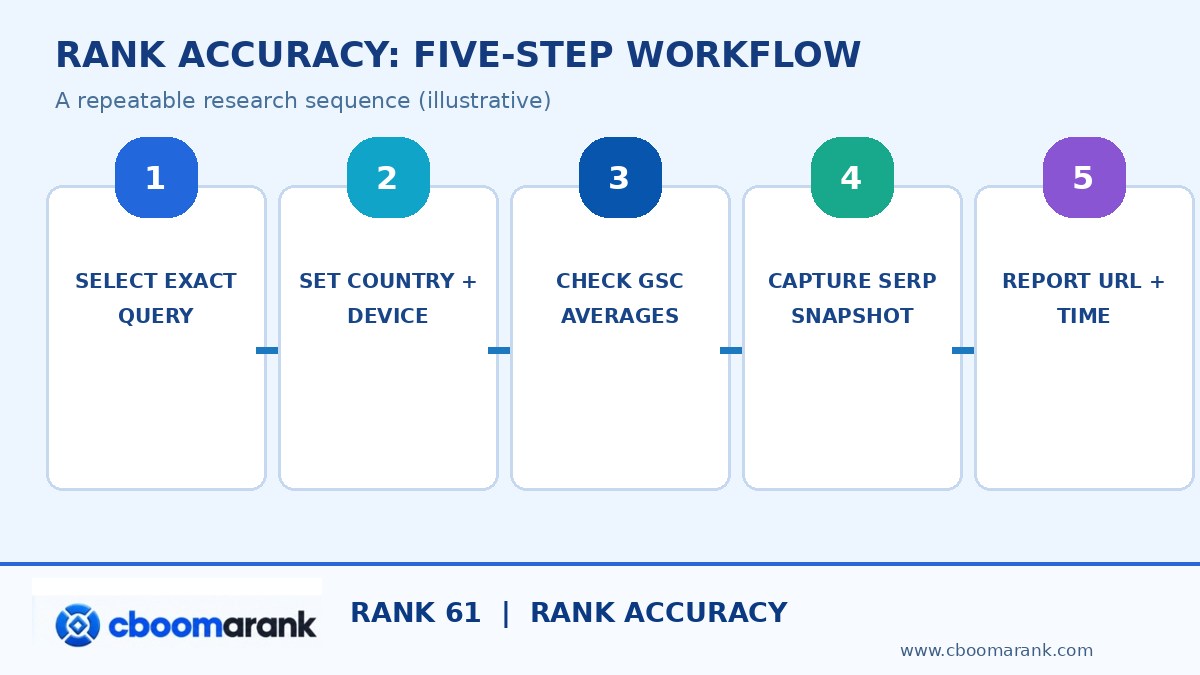
Step 1: Specify one exact keyword and ranking URL — Keyword Rank Checker
Write down the exact query, country, city when relevant, device, language, date, and the specific URL expected to rank. A domain-level report can hide the fact that another page is ranking instead of your intended landing page. Recording a target URL before checking prevents after-the-fact explanations that make rankings appear better than they are.
Include punctuation and word order in your query definition. Two similar phrases may trigger different intent interpretations and ranking URLs. Keep spelling variants in separate rows until the data shows they are interchangeable.
Step 2: Use Search Console as a first-party baseline
In Google Search Console, open Performance → Search results, select an appropriate date range, and filter by query and page. Review impressions, clicks, CTR, and average position together. The position metric is an impression-weighted average of the topmost relevant result, not a screenshot of a single live search. Low-volume queries may have limited reportable data.
Check whether you are viewing a domain property, a URL-prefix property, or an individual filtered page. A sudden change in aggregation can masquerade as a performance decline, especially when properties use different protocols or subdomains.
What to document in your keyword rank checker notes
Include the chosen keyword or offer, the relevant URL, the measurement setting, the important finding and the next decision. If an observation is unavailable, use “not observed” rather than inventing a value.
Step 3: Perform a controlled SERP observation — Keyword Rank Checker
Use a reputable rank-checking service that supports chosen location and device settings, or manually inspect a small number of searches for sanity checking. Note whether organic results, map listings, ads, AI features, and other SERP modules are distinguished. Record the date and underlying query settings. Do not rely on a signed-in everyday browser as the sole evidence of a market-wide position.
If the checker reports several entries from one domain, clarify whether it counts the first eligible result or every listing. Attach the observed URL to the row so that a future audit can reproduce the decision.
Step 4: Match country, language, and device between checks
A mobile result in Toronto cannot be compared cleanly with a desktop result in Manchester. If an agency serves several markets, maintain separate tracking lines for each important location. If a service cannot select the desired geography, mark that limitation rather than reporting an overly precise rank.
Write target settings as explicit columns, not as a footnote. Teams commonly lose precision when an export named “UK ranks” mixes desktop, mobile and city-specific measurements without labels.
Step 5: Separate average position from a snapshot rank — Keyword Rank Checker
Search Console aggregates impressions across searches and contexts; a position tracker typically captures a configured snapshot. Both can be correct and still disagree. Investigate differences through matching dates, query terms, landing pages, devices, and countries before assuming the data provider is wrong.
Explain variance in a client report with the selected date and country. For example, a weekly snapshot and a 28-day Search Console report are sampling different periods even if the query is identical.
Step 6: Distinguish the ranking URL from the domain
For branded, commercial, and informational queries, Google may choose a different page on the same domain. Record the observed URL, not only the site name. Unexpected URL switches can signal internal cannibalization, a changed search intent, or multiple useful pages; review content before consolidating or redirecting.
If the wrong page begins receiving impressions, compare headings, internal links and the intent served by both URLs. Consolidation is not always the right answer; the pages may address legitimate different questions.
What to document in your keyword rank checker notes
Include the chosen keyword or offer, the relevant URL, the measurement setting, the important finding and the next decision. If an observation is unavailable, use “not observed” rather than inventing a value.
Step 7: Track change over time instead of one position — Keyword Rank Checker
Log a baseline and repeat it consistently. Watch position distributions, top-three and top-ten visibility, impressions, CTR, and organic conversions. A one-place jump on a volatile SERP can be noise, whereas sustained movement with better clicks on relevant terms is more actionable.
A simple chart with observation dates and a separate line for organic clicks often tells the truth better than a single rank badge. Mark large content updates on the timeline to distinguish cause hypotheses from correlations.
Step 8: Investigate declines with a diagnostic checklist
When rankings change, confirm indexing and canonical status, verify no accidental noindex or redirect, inspect content changes, review competition and SERP layout, and segment the change by country and device. Do not immediately rewrite an entire page because one checker reports a lower number.
Keep a diagnostic record of indexing reports, canonical clues and platform outages. When uncertainty remains, gather one more matched observation rather than publishing a dramatic ranking-loss conclusion.
Keyword Rank Checker: Worked Business Example
Suppose a UK software company measures the query “client SEO report template.” Search Console shows an average position of 8.4 across a month, while a controlled desktop check in London sees position 6 on a Tuesday. Neither measurement must be broken: one summarizes actual impressions across contexts while the other captures one configured result. The team should record both, segment Search Console by device and country, and watch the trend rather than forcing a single number.
The figures or scenarios in this example are illustrative rather than measurements of a named company. A strong implementation distinguishes a recorded observation, a hypothesis, a controlled test and a verified result. That approach protects credibility when someone asks how the conclusion was reached.
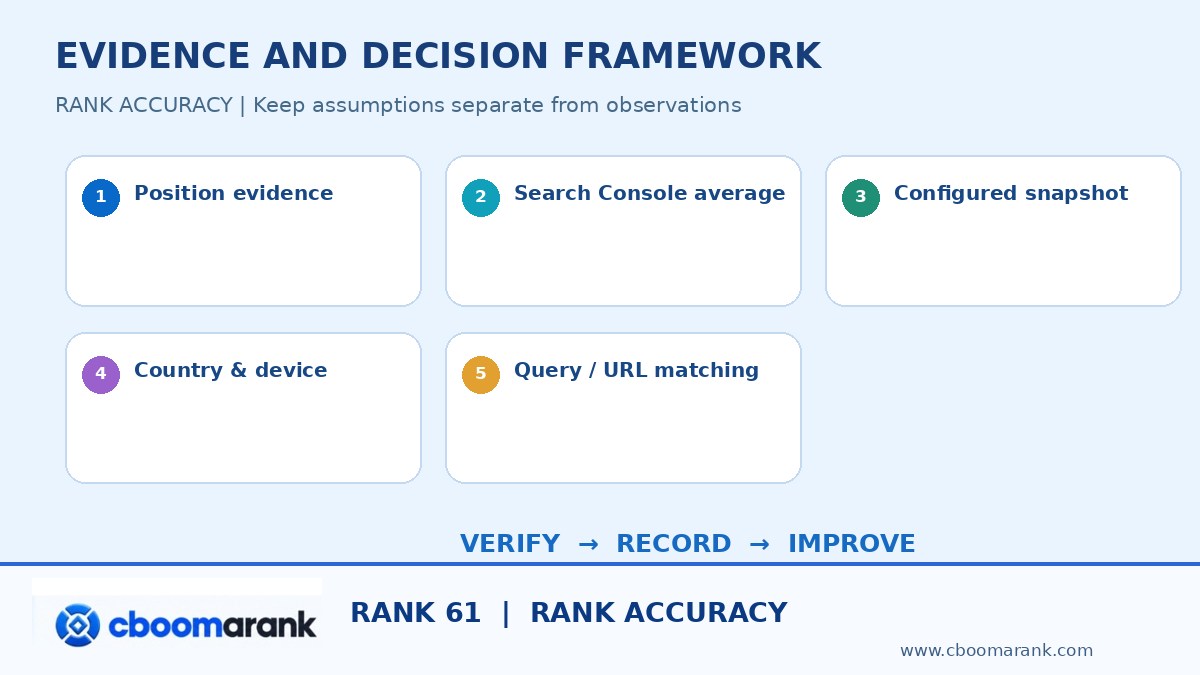
Keyword Rank Checker: Quality-Control Checklist
Before reporting findings, check the following frequent interpretation errors. Correcting these mistakes is often more valuable than collecting another large export.
1. A screenshot is a sample
A live result proves only what appeared under that observation’s conditions. Add a note identifying the exact source and scope of the observation, then revisit it when comparing the next measurement period. This prevents the team from turning a narrow or uncertain signal into a larger unsupported claim.
2. Search Console uses averages
Its average position is not a universal fixed rank. Add a note identifying the exact source and scope of the observation, then revisit it when comparing the next measurement period. This prevents the team from turning a narrow or uncertain signal into a larger unsupported claim.
3. Check the canonical URL
Indexing and URL selection affect which result is reported. Add a note identifying the exact source and scope of the observation, then revisit it when comparing the next measurement period. This prevents the team from turning a narrow or uncertain signal into a larger unsupported claim.
4. Don’t count ads as organic
Paid placements are not organic search positions. Add a note identifying the exact source and scope of the observation, then revisit it when comparing the next measurement period. This prevents the team from turning a narrow or uncertain signal into a larger unsupported claim.
5. SERP features alter visibility
A number alone can overlook maps, AI panels, shopping, and other modules. Add a note identifying the exact source and scope of the observation, then revisit it when comparing the next measurement period. This prevents the team from turning a narrow or uncertain signal into a larger unsupported claim.
6. Record location and device
Without parameters, historical comparisons may be meaningless. Add a note identifying the exact source and scope of the observation, then revisit it when comparing the next measurement period. This prevents the team from turning a narrow or uncertain signal into a larger unsupported claim.
7. Connect ranks to outcomes
Clicks, qualified leads and conversions matter more than vanity positions. Add a note identifying the exact source and scope of the observation, then revisit it when comparing the next measurement period. This prevents the team from turning a narrow or uncertain signal into a larger unsupported claim.
How to Convert keyword rank checker Research into a 30-Day Plan
Days 1–7: Establish a reliable baseline
Choose the highest-value audience segment, define measurement settings, verify access to first-party reports where available, and collect a small number of repeatable observations. Keep a record of missing data and why those gaps matter. Do not change ten different factors before the baseline is clear.
Days 8–14: Prioritize opportunities and limitations
Separate improvements you control from external factors you merely observe. Score candidate actions by expected business impact, confidence in the evidence, effort and risk. Review indexing or tracking integrity before concluding that content or bids must change.
Days 15–21: Run narrow, measurable improvements
Implement the smallest meaningful change to content, targeting, measurement, location coverage or landing-page usability. Record what was changed and when. Preserve the previous state or a backup so the team can reverse mistakes and avoid confusing a technical issue with an SEO result.
Days 22–30: Measure, report and choose the next cycle
Compare consistent time periods and appropriate sample sizes. Explain improvements in clicks, useful visitors and qualified enquiries as well as rankings or visibility. Keep the report honest about uncertainty, and decide which process should repeat next month.
Frequently Asked Questions About Keyword Rank Checker
Why does Google show a different position from my checker?
Different device, city, language, time, personalization and result modules can change the result. Match settings before comparing.
Is Search Console average position my exact ranking?
No. It averages measured impressions and usually tracks the topmost matching result for the reporting context.
How often should I check keyword rankings?
Use a repeatable cadence appropriate to business impact; daily snapshots can help volatile campaigns, while weekly tracking may be sufficient elsewhere.
Can I check rankings for another website?
Public SERP observations are possible, but first-party Search Console data is available only to verified property owners.
Does an incognito browser remove location effects?
No. Incognito reduces some personalization but does not remove geography, language, device and other variations.
What is the difference between a URL and domain rank?
URL tracking answers which individual page appears; domain visibility may aggregate several pages or summarize site presence.
Should I report a rank without traffic?
Include it with context, but also report query demand, impressions, organic visits and valuable outcomes.
Useful Official References for keyword rank checker Research
- Google Search Console performance guide — consult the source for current definitions and limitations.
- Google explanation of search position — consult the source for current definitions and limitations.
- Bing Webmaster search performance guide — consult the source for current definitions and limitations.
Explore related analysis: CBOOMARANK guide and related SEO research article. These resources provide broader context; this post is focused on the specific task above.
Final Verdict: Make keyword rank checker Useful
A reliable research process documents query intent, measurement settings, sample limitations, business relevance and the action that follows. Be skeptical of rankings or competitor estimates that lack a source. Repeat the process with the same definitions, compare it with qualified visitors and conversions, and prioritize work that improves the user experience rather than chasing a single score.
Find research workflows at www.cboomarank.com, compare CBOOMARANK pricing and access, and download the research workbook to build a repeatable action plan.
Editorial note (October 2026): Software features, search interfaces and plan entitlements change. Vendor statements are not third-party test results. CBOOMARANK publishes this guide and offers SEO research products; verify current features and availability before purchasing.
