


Images are no longer just decoration around written content. They can influence how a page is represented in Google Search, Google Images, Discover and generative AI experiences. In 2026, Google clarified additional preferred-image guidance, including the role of schema.org image properties and the og:image meta tag when selecting thumbnails.
Quick takeaway: Use large, relevant, original images; make the page context clear; write useful alt text; allow large previews; and specify a strong representative image through supported metadata.
What You Will Learn
- What changed in 2026 and why it matters
- How to apply the guidance without chasing unsupported shortcuts
- A practical implementation workflow
- How to measure results and avoid common mistakes
- A final checklist your team can reuse
What Google Clarified About Preferred Images
Google says image preview selection is automated and draws from multiple sources. Site owners can influence which image is preferred by providing image metadata, including schema.org properties such as primaryImageOfPage and the og:image meta tag.
This is not a guarantee that a specific thumbnail will always be shown. It is a way to provide a strong, machine-readable preference that aligns with the visible content on the page. The selected image should represent the page honestly rather than acting as unrelated clickbait.
ALT Text Still Matters, but for the Right Reasons
Descriptive alt text helps people using assistive technology and gives search systems useful context about an image. The best alt text describes the important visible content and its purpose on the page. It should not be a hidden keyword list.
For a chart, include the subject and what the chart represents. For a product screenshot, name the interface or workflow being shown. For a decorative background that adds no informational value, an empty alt attribute may be more appropriate than forced text.
Discover Image Requirements and Practical Cropping
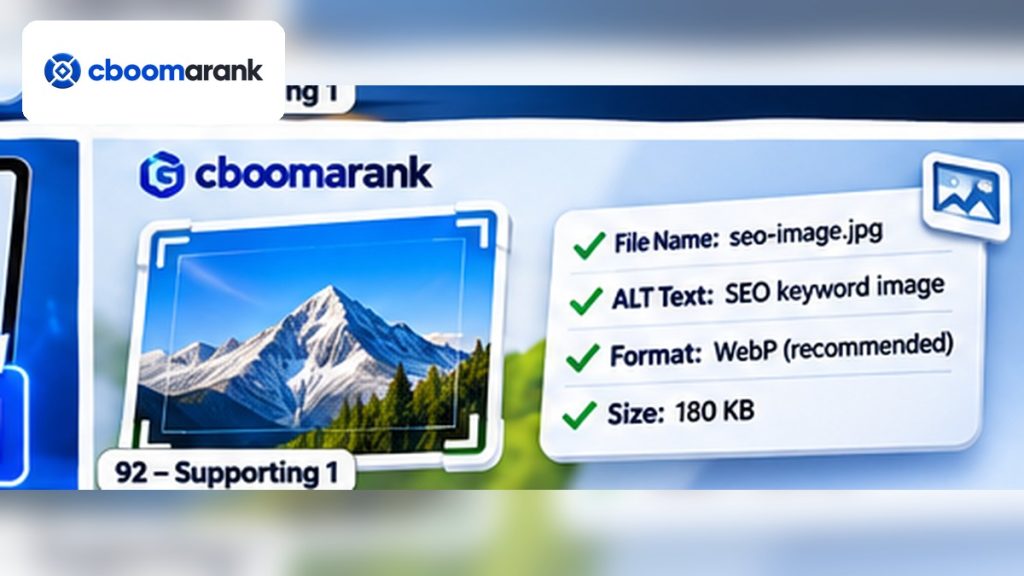
Google recommends compelling, high-quality images for Discover, especially large images at least 1200 pixels wide and with more than 300,000 total pixels. A 16:9 landscape composition is especially useful because Discover may crop previews and because many article layouts favor wide editorial imagery.
Use max-image-preview:large so Google can show larger previews where appropriate. Keep important subjects away from the extreme edges, because automatic crops can remove peripheral details. Avoid using a generic site logo as the preferred article image and avoid text-heavy compositions when a cleaner visual can communicate the topic.
How Google image SEO Fits Into a Wider Search Strategy
Google image SEO should not be treated as a stand-alone tactic. It works best when the site already has a clear information architecture, crawlable pages, reliable internal links, useful content and a measurement process. For publishers, ecommerce teams, SaaS companies and content marketers, the practical question is not whether to chase every new Search feature, but how to connect the feature to the existing operating rhythm for publishing, technical SEO, analytics and conversion improvement.
A strong team records assumptions before making changes. That means documenting what visibility is expected to improve, which pages are affected, what supporting work is required and what evidence would count as success. This reduces the temptation to declare victory based on a single screenshot or temporary movement. It also makes it easier to reverse a low-value change and preserve the parts of the site that are already working.
Measurement: What to Track for Google image SEO
Measurement should combine first-party evidence with business context. Track image impressions, Discover traffic, image-search clicks, landing-page engagement and page-level conversions, but also watch page-level engagement, conversions, assisted conversions, branded demand and the quality of the landing pages receiving visibility. A metric can improve while business value stays flat, so reporting should always explain what changed and why the change matters.
Use weekly and monthly comparisons for strategic decisions, then annotate major releases, content updates, template changes and indexing events. When a metric moves, compare the timing with those events before assigning a cause. This is particularly important in AI and Search reporting because interfaces, models and result formats can change while the underlying page remains unchanged.
Examples and Decision Scenarios
A tutorial page uses a generic stock photo as its main image even though the article contains an original workflow diagram. The team updates og:image and primaryImageOfPage to the diagram, ensuring the preferred visual better represents the page’s actual value.
A publisher creates a 1200-pixel-wide image but places the key subject at the far right edge. Discover’s landscape crop removes the subject on some surfaces. The redesigned image keeps the important visual inside a central safe area and improves presentation consistency.
A SaaS product page names every screenshot alt attribute ‘best SEO software.’ The team replaces keyword repetition with descriptions of the actual screen, such as keyword clustering, audit findings or competitor comparison views, improving accessibility and contextual clarity.
Images in Generative AI Search
Google’s generative AI guidance encourages high-quality images and video where they help users. These media assets create additional opportunities for a site to appear beyond ordinary blue links, but the same principle applies: the media should support the page’s real value rather than exist solely to target a search feature.
Image optimization therefore belongs inside a broader content workflow. The page should be crawlable, useful and well organized; the visual should be relevant and technically accessible; metadata should match the visible page; and performance should be measured through Search Console and analytics.
Operating Rhythm for the First 90 Days
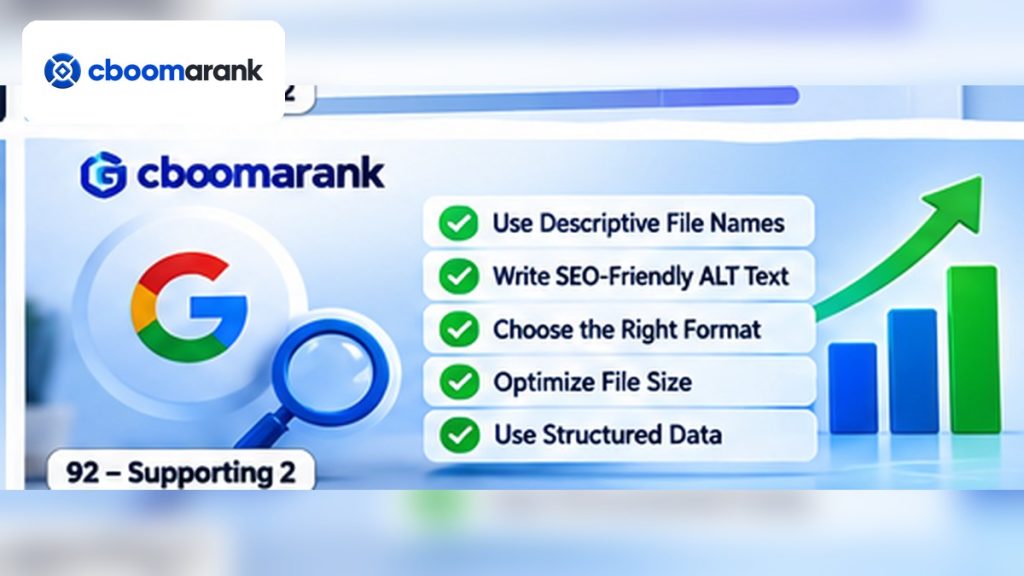
During the first month, establish a baseline for Google image SEO and document the current configuration before changing anything. Capture the relevant Search Console views, the important URLs, current metadata, ownership and any automation already in place. The purpose is to create a reference point so later performance changes can be evaluated against a known state rather than memory.
During the second month, make a small number of prioritized changes rather than a site-wide rewrite. Choose pages with clear business value and enough data to evaluate. Record who owns each change, the exact deployment date and the expected outcome. This makes the work easier to review and reduces the risk of confusing several simultaneous interventions.
During the third month, evaluate performance using the same measurement window used at baseline. Keep improvements that have clear user or operational value, refine ambiguous changes, and reverse experiments that create complexity without benefit. Convert what worked into a repeatable checklist so the process becomes part of normal website operations.
Governance, Ownership and Documentation
SEO changes are more reliable when ownership is explicit. Decide whether the editor, SEO lead, developer, product marketer or community manager is responsible for the configuration and who approves production changes. Document the expected state in a shared operating note so future team members do not have to reverse-engineer why a setting exists.
Keep backups before changes that affect indexing, templates, metadata or public URLs. For high-impact technical work, use staging or a private preview when possible, validate the output, and deploy only the intended files or settings. A simple rollback plan is often more valuable than an elaborate optimization theory when a production issue appears.
For CBOOMARANK, every new article should also be reviewed for overlap with existing topics before publication. Avoid publishing near-duplicates simply because a new phrase is trending. A strong content library grows through complementary intent coverage, internal linking and periodic refreshes, not through many pages competing for the same query.
How to Review Quality Before Publishing
Run a factual review against the current first-party documentation cited in the article. Search features and platform behavior change frequently, so claims about availability, reporting dimensions, ranking effects or technical requirements should be verified before the publish button is pressed.
Then review the page from a reader’s perspective. Check whether the introduction answers why the topic matters, whether examples are concrete, whether headings help scanning, whether screenshots or illustrations explain the text, and whether the call to action fits the page intent. Remove paragraphs that only repeat earlier statements.
Finally, validate the production details: canonical URL, indexability, title, meta description, featured image, alt text, internal links, outbound references, categories and tags. The best article can still underperform if technical publishing errors prevent it from being discovered or make it difficult to use.
Practical Implementation Workflow
Step 1: Choose a representative image
Select the visual that best communicates the article or page. Prefer original diagrams, product screenshots, editorial photography or illustrations that are directly tied to the topic.
Step 2: Prepare large, crop-safe dimensions
Use at least 1200 pixels of width for Discover-oriented editorial images and keep key subjects inside a safe central region.
Step 3: Write descriptive alt text
Describe the image’s informational purpose in natural language. Keep it concise enough to be useful and specific enough to distinguish the visual.
Step 4: Specify preferred-image metadata
Use supported schema.org properties and/or og:image. Ensure the referenced image is crawlable, representative and available at a stable URL.
Step 5: Measure image-led discovery
Review Google Images, Discover and page-level Search Console trends. Connect visibility with engagement and conversions rather than optimizing only for impressions.
Common Mistakes to Avoid
- Using the logo as every preferred image: Google advises against generic images when a page-specific visual would better represent the content.
- Keyword stuffing alt text: Alt text should describe the image and help users, not act as a hidden keyword field.
- Publishing text-heavy thumbnails: Large amounts of embedded text can become unreadable in small or cropped previews.
- Ignoring image performance: Oversized files can damage page experience; compress and serve appropriately sized assets.
2026 Implementation Checklist
- Representative page image selected.
- Image at least 1200px wide where Discover visibility is a goal.
- Important subject positioned within a crop-safe area.
- Descriptive alt text added.
- Image filename and surrounding copy are meaningful.
- og:image and/or schema.org preferred-image metadata reviewed.
- max-image-preview:large enabled where appropriate.
- Image compression and loading performance verified.
Related Guides and Resources
- Technical SEO Checklist 2026
- SEO Optimization Guide 2026
- AI Optimization for Websites
- Google AI Mode SEO 2026
- Google: Image SEO best practices
- Google: Discover guidance
Frequently Asked Questions
Can I tell Google which image to use?
You can provide a preferred image through supported metadata, but final selection remains automated.
How wide should a Discover image be?
Google recommends at least 1200 pixels wide and more than 300,000 total pixels for large, high-quality previews.
Should alt text include the focus keyword?
Only when the keyword naturally describes the image. Accuracy and accessibility come first.
Do images matter for AI Search?
Google’s generative AI guidance says useful, high-quality images and video can create additional visibility opportunities.
Image SEO Quality Review Before Publishing
Before publishing an image-heavy page, review the final rendered version rather than relying only on the media library settings. Confirm that the preferred image still represents the article accurately after responsive cropping, that important subjects remain visible on mobile screens, and that supporting images add information instead of repeating the featured visual. Check that every meaningful image has descriptive alt text, that decorative images do not receive unnecessary keyword-filled descriptions, and that image URLs remain crawlable. Also verify compression, dimensions and loading behavior so visual quality does not create avoidable page-performance problems. This final review connects accessibility, search visibility, Discover presentation and user experience in one practical quality-control step.
Final Recommendation
Treat the preferred image as part of the page’s search presentation. Use a strong, relevant visual, give it accurate descriptive context, make it technically accessible, and connect image decisions to the same people-first quality standard used for the rest of the page.
Editorial Review Notes
Review Note 1: Preserve Evidence and Context
When evaluating this area, preserve the evidence that led to the decision. Keep the original metric, the changed state, the deployment date, the affected URLs and the person responsible for review. This makes future analysis more reliable because the team can distinguish a real site change from seasonality, reporting changes, crawler behavior or normal fluctuations. If the result is uncertain, keep the conclusion narrow and continue measuring rather than expanding the claim to the entire site.
Review Note 2: Preserve Evidence and Context
When evaluating this area, preserve the evidence that led to the decision. Keep the original metric, the changed state, the deployment date, the affected URLs and the person responsible for review. This makes future analysis more reliable because the team can distinguish a real site change from seasonality, reporting changes, crawler behavior or normal fluctuations. If the result is uncertain, keep the conclusion narrow and continue measuring rather than expanding the claim to the entire site.
Review Note 3: Preserve Evidence and Context
When evaluating this area, preserve the evidence that led to the decision. Keep the original metric, the changed state, the deployment date, the affected URLs and the person responsible for review. This makes future analysis more reliable because the team can distinguish a real site change from seasonality, reporting changes, crawler behavior or normal fluctuations. If the result is uncertain, keep the conclusion narrow and continue measuring rather than expanding the claim to the entire site.
Review Note 4: Preserve Evidence and Context
When evaluating this area, preserve the evidence that led to the decision. Keep the original metric, the changed state, the deployment date, the affected URLs and the person responsible for review. This makes future analysis more reliable because the team can distinguish a real site change from seasonality, reporting changes, crawler behavior or normal fluctuations. If the result is uncertain, keep the conclusion narrow and continue measuring rather than expanding the claim to the entire site.
Review Note 5: Preserve Evidence and Context
When evaluating this area, preserve the evidence that led to the decision. Keep the original metric, the changed state, the deployment date, the affected URLs and the person responsible for review. This makes future analysis more reliable because the team can distinguish a real site change from seasonality, reporting changes, crawler behavior or normal fluctuations. If the result is uncertain, keep the conclusion narrow and continue measuring rather than expanding the claim to the entire site.
