

Introduction
SEO can feel overwhelming when you are just starting out. There are keywords to research, pages to optimize, technical issues to fix, backlinks to monitor, analytics reports to understand, and rankings to improve. Many beginners assume they need expensive SEO software before they can compete, but that is not true.
The best way to begin SEO is to build a simple tool stack using free platforms. Google, Microsoft, Ahrefs, Semrush, Screaming Frog, and WordPress plugin providers all offer free tools or free plans that help beginners understand search performance, keyword opportunities, page speed, technical issues, content optimization, and backlink growth.
This guide explains the best free SEO tools for beginners in 2026, what each tool does, when to use it, and how to combine these tools into a practical monthly SEO workflow. The goal is simple: help you start ranking without paying for premium SEO software too early.
Related CBOOMARANK reading: Semrush vs Ahrefs, Ubersuggest vs Semrush, and Submit URL to Search Engines.
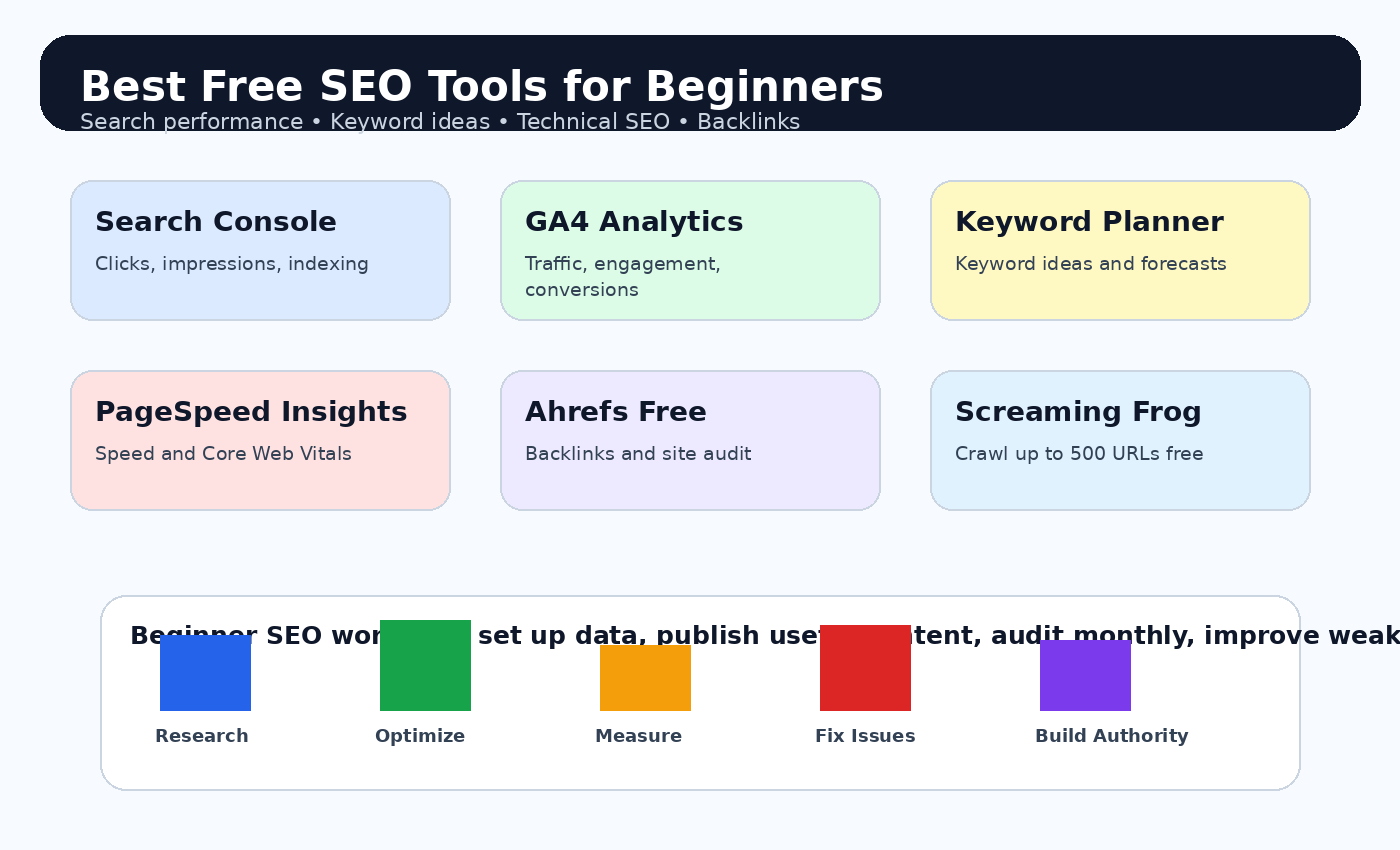
Quick Comparison: Best Free SEO Tools for Beginners
| Tool | Best For | Beginner Benefit |
| Google Search Console | Search performance and indexing | Clicks, impressions, ranking queries, sitemaps, and indexing issues |
| Google Analytics 4 | Traffic and behavior analytics | Shows how visitors engage after landing on your website |
| Google Keyword Planner | Keyword ideas | Helps discover keyword ideas and demand for Search campaigns |
| Google Trends | Trend validation | Shows topic interest over time and by region |
| PageSpeed Insights | Page speed and Core Web Vitals | Tests mobile and desktop performance |
| Google Lighthouse | Technical audits | Audits performance, accessibility, SEO, and best practices |
| Bing Webmaster Tools | Bing SEO and backlinks | Provides SEO reports, keyword research, and backlink insights |
| Ahrefs Free | Backlinks and site audit | Gives limited free access to site and SEO insights for verified websites |
| Screaming Frog Free | Technical crawling | Crawls up to 500 URLs for technical SEO checks |
| Yoast SEO | WordPress SEO basics | Helps optimize SEO titles, meta descriptions, readability, and sitemaps |
| Semrush Free | Competitor and keyword research | Limited access to premium SEO and competitor research tools |
1. Google Search Console
Google Search Console should be the first free SEO tool every beginner sets up. It helps you measure your website performance in Google Search, inspect indexing issues, submit sitemaps, review search queries, and identify pages that need improvement.
- Find search queries that already bring impressions.
- Improve titles and meta descriptions on pages with low click-through rate.
- Check indexing problems before blaming your content.
- Submit your sitemap after launching a new website or major content update.
Official resource: Google Search Console
2. Google Analytics 4
Google Analytics 4 helps you understand what users do after they land on your website. Search Console explains how people find you in Google Search; GA4 shows whether those visitors read, engage, convert, or leave quickly.
- Track organic traffic performance.
- Compare SEO traffic with social, referral, email, and paid channels.
- Measure conversions such as form submissions, purchases, downloads, or newsletter signups.
- Identify pages with strong traffic but weak engagement.
Official resource: Google Analytics 4
3. Google Keyword Planner
Google Keyword Planner is built for Google Ads, but it is also useful for beginner SEO research. It can help you discover keyword ideas, understand commercial intent, and group related search terms before creating content.
- Find long-tail keyword ideas.
- Build content clusters around related terms.
- Compare commercial keyword themes.
- Use forecasts as directional guidance rather than exact SEO traffic predictions.
Official resource: Google Keyword Planner
4. Google Trends
Google Trends helps beginners avoid writing about topics that are declining and identify topics that are growing. It is useful for seasonal content, news-driven niches, AI topics, ecommerce product demand, and local trend research.
- Compare two or more topic ideas.
- Find rising keywords.
- Check seasonal demand before publishing.
- Adjust content calendars around peak interest periods.
Official resource: Google Trends
5. PageSpeed Insights
PageSpeed Insights gives you a quick performance check for mobile and desktop pages. It is helpful for beginners because slow pages can reduce user satisfaction, increase bounce rates, and weaken the performance of otherwise strong content.
- Test your homepage, blog posts, service pages, and product pages.
- Focus first on mobile speed.
- Compress large images and remove unnecessary scripts.
- Review Core Web Vitals warnings before redesigns or migrations.
Official resource: PageSpeed Insights
6. Google Lighthouse
Google Lighthouse is a free audit tool that checks performance, accessibility, SEO, and best practices. It is available through Chrome DevTools and helps beginners see technical issues in a structured report.
- Audit page performance and accessibility.
- Check whether basic SEO elements are present.
- Find improvement opportunities before publishing important pages.
- Use it with PageSpeed Insights for a stronger technical review.
Official resource: Google Lighthouse
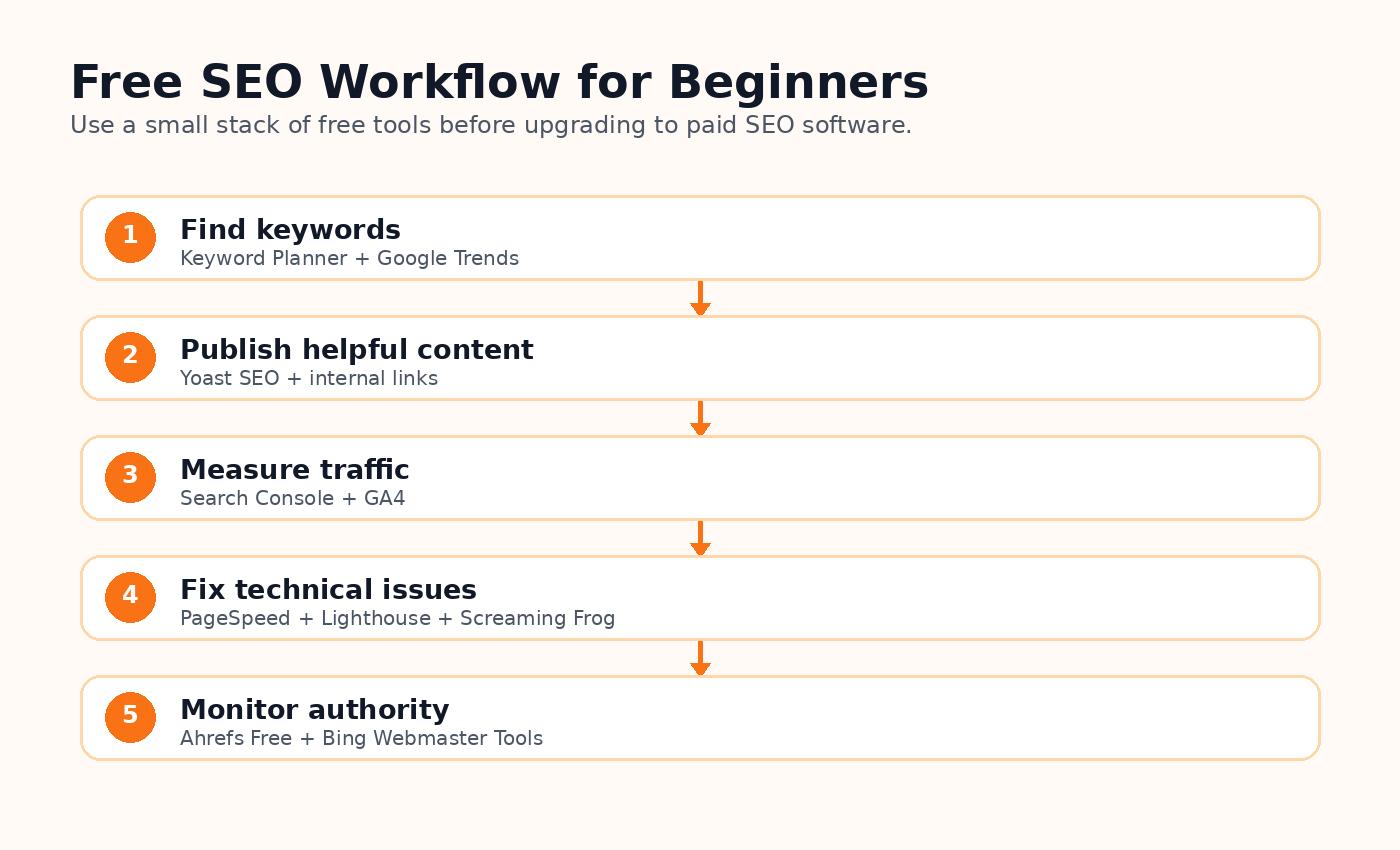
Supporting image: Free SEO workflow for beginners
ALT text: Five-step free SEO workflow for beginners covering keyword research, content publishing, analytics, technical SEO, and backlink monitoring.
7. Bing Webmaster Tools
Bing Webmaster Tools is Microsoft’s free platform for website owners. It can help you inspect search performance on Bing, review SEO reports, analyze backlinks, manage keywords, and find site health issues. Beginners often ignore Bing, but it can provide additional data that supports your wider SEO strategy.
- Submit your sitemap to Bing.
- Review Bing search performance.
- Check backlink data and referring domains.
- Use keyword research features for extra topic ideas.
Official resource: Bing Webmaster Tools
8. Ahrefs Free
Ahrefs Free gives website owners limited access to useful SEO insights. It is especially helpful for backlink checks, organic keyword discovery, and site audit features for verified properties. Beginners can use it to understand how backlinks and technical issues affect organic growth.
- Review backlinks for your own verified website.
- Find technical SEO issues.
- Check organic keywords and traffic estimates with limits.
- Learn the basics before upgrading to paid SEO software.
Official resource: Ahrefs Free
9. Screaming Frog SEO Spider Free Version
Screaming Frog SEO Spider is a desktop crawler used by technical SEOs. The free version is restricted to crawling up to 500 URLs, which is enough for many beginner websites, small blogs, and local business websites.
- Find missing titles and duplicate meta descriptions.
- Detect broken links and redirect chains.
- Review headings and URL structure.
- Export crawl data for technical SEO cleanup.
Official resource: Screaming Frog SEO Spider Free Version
10. Yoast SEO
Yoast SEO is one of the most popular WordPress SEO plugins. It helps beginners manage SEO titles, meta descriptions, XML sitemaps, readability, canonical settings, and basic on-page optimization without editing code.
- Optimize WordPress posts and pages.
- Write better SEO titles and meta descriptions.
- Generate XML sitemaps.
- Improve readability and content structure.
Official resource: Yoast SEO
11. Google Rich Results Test
Google Rich Results Test helps you check whether your structured data can produce rich results in Google Search. It is useful for articles, product pages, FAQs, breadcrumbs, reviews, recipes, and other schema-supported content.
- Validate FAQ schema.
- Test article and breadcrumb schema.
- Find structured data errors.
- Check pages before publishing or updating important content.
Official resource: Google Rich Results Test
12. Semrush Free Account
Semrush Free gives beginners limited access to SEO, competitor research, keyword research, domain analysis, and content tools. It is a good way to understand what premium SEO platforms can do before committing to a paid subscription.
- Check domain overview data.
- Research a limited number of keywords.
- Study competitors at a basic level.
- Test premium workflows before upgrading.
Official resource: Semrush Free Account
Best Free SEO Tool Stack for Beginners
A beginner does not need to use every tool every day. The smartest approach is to assign each free tool to a specific job. This prevents tool overload and keeps your SEO workflow focused on results.
| SEO Task | Recommended Free Tool | How to Use It |
| Search performance | Google Search Console | Review clicks, impressions, ranking queries, indexing, and sitemap issues |
| Visitor behavior | Google Analytics 4 | Understand engagement, conversions, and traffic quality |
| Keyword ideas | Google Keyword Planner + Google Trends | Find topic ideas and validate search demand |
| Technical SEO | PageSpeed Insights + Lighthouse + Screaming Frog | Find speed, crawl, metadata, and accessibility problems |
| Backlink monitoring | Ahrefs Free + Bing Webmaster Tools | Review backlinks, referring domains, and authority signals |
| WordPress SEO | Yoast SEO | Optimize metadata, sitemaps, readability, and basic on-page SEO |
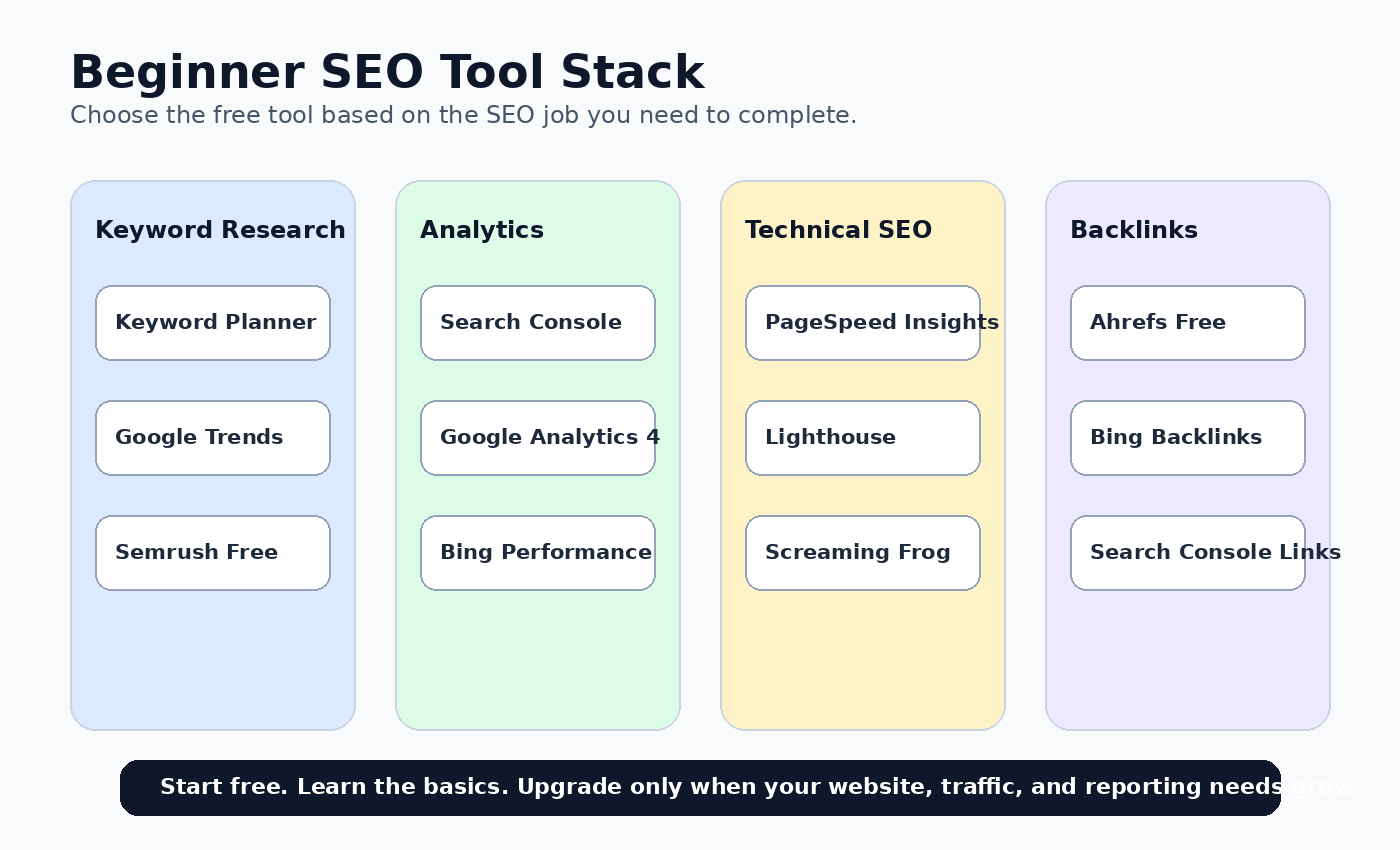
Supporting image: Beginner SEO tool stack matrix
ALT text: Beginner SEO tool stack matrix grouping free tools by keyword research, analytics, technical SEO, and backlink monitoring tasks.
Monthly SEO Workflow Using Free Tools
Week 1: Research Topics
Use Keyword Planner and Google Trends to find long-tail keywords with clear intent. Prioritize beginner-friendly terms, comparison keywords, and questions your audience is already asking.
Week 2: Publish and Optimize
Write helpful content that answers the search intent. Use Yoast SEO for titles, meta descriptions, headings, internal links, image ALT text, and readability checks.
Week 3: Measure Performance
Use Search Console and GA4 to identify pages gaining impressions, clicks, engagement, and conversions. Improve titles and intros on pages that get impressions but few clicks.
Week 4: Audit and Improve
Run PageSpeed Insights, Lighthouse, Screaming Frog, Ahrefs Free, and Bing Webmaster Tools. Fix broken links, missing metadata, slow images, crawl issues, and thin content.
Common Beginner Mistakes to Avoid
Using too many tools at once
Start with a small stack. Search Console, GA4, Keyword Planner, PageSpeed Insights, and one audit tool are enough for most beginners.
Choosing keywords only by search volume
High-volume keywords are often too competitive. Beginners should target long-tail keywords with clear search intent.
Ignoring technical SEO
Helpful content can still struggle if your site is slow, hard to crawl, or filled with broken links and duplicate metadata.
Not updating old content
SEO is not a one-time action. Update old posts with current facts, better examples, fresh internal links, and improved images.
Publishing without measurement
Every article should be reviewed in Search Console and GA4 so you can improve pages based on real data.
Final Verdict
The best free SEO tool for beginners is Google Search Console because it shows real Google Search performance, including clicks, impressions, search queries, indexing issues, and ranking trends. However, the best results come from combining several free tools into a simple workflow.
Use Google Search Console for performance, Google Analytics 4 for visitor behavior, Google Keyword Planner and Trends for topic research, PageSpeed Insights and Lighthouse for speed checks, Screaming Frog for technical crawls, Ahrefs Free and Bing Webmaster Tools for backlinks, and Yoast SEO for WordPress optimization.
You do not need to buy expensive SEO software on day one. Start free, learn the fundamentals, publish helpful content, fix technical problems, and upgrade only when your website, traffic, competition, and reporting needs justify the investment.
FAQ
What is the best free SEO tool for beginners?
Google Search Console is the best starting point because it gives direct insight into how your site performs in Google Search.
Can I do SEO without paid tools?
Yes. Beginners can research keywords, track organic traffic, audit technical issues, monitor backlinks, and optimize WordPress content using free tools.
Which free tool is best for keyword research?
Google Keyword Planner is useful for keyword ideas, while Google Trends helps you evaluate seasonal and rising interest.
Which free SEO tool is best for WordPress?
Yoast SEO is a strong beginner option for WordPress because it helps with titles, meta descriptions, sitemaps, readability, and basic on-page SEO.
Is Screaming Frog free?
Screaming Frog offers a free version restricted to crawling up to 500 URLs in a single crawl.
When should I upgrade to paid SEO software?
Upgrade when you need larger keyword databases, advanced rank tracking, deeper competitor research, more backlink data, larger crawls, or team reporting.
Recommended Internal Links for CBOOMARANK
- CBOOMARANK Blog
- Semrush vs Ahrefs
- Ubersuggest vs Semrush
- Submit URL to Search Engines
- PPC Advertising Ultimate Guide
