

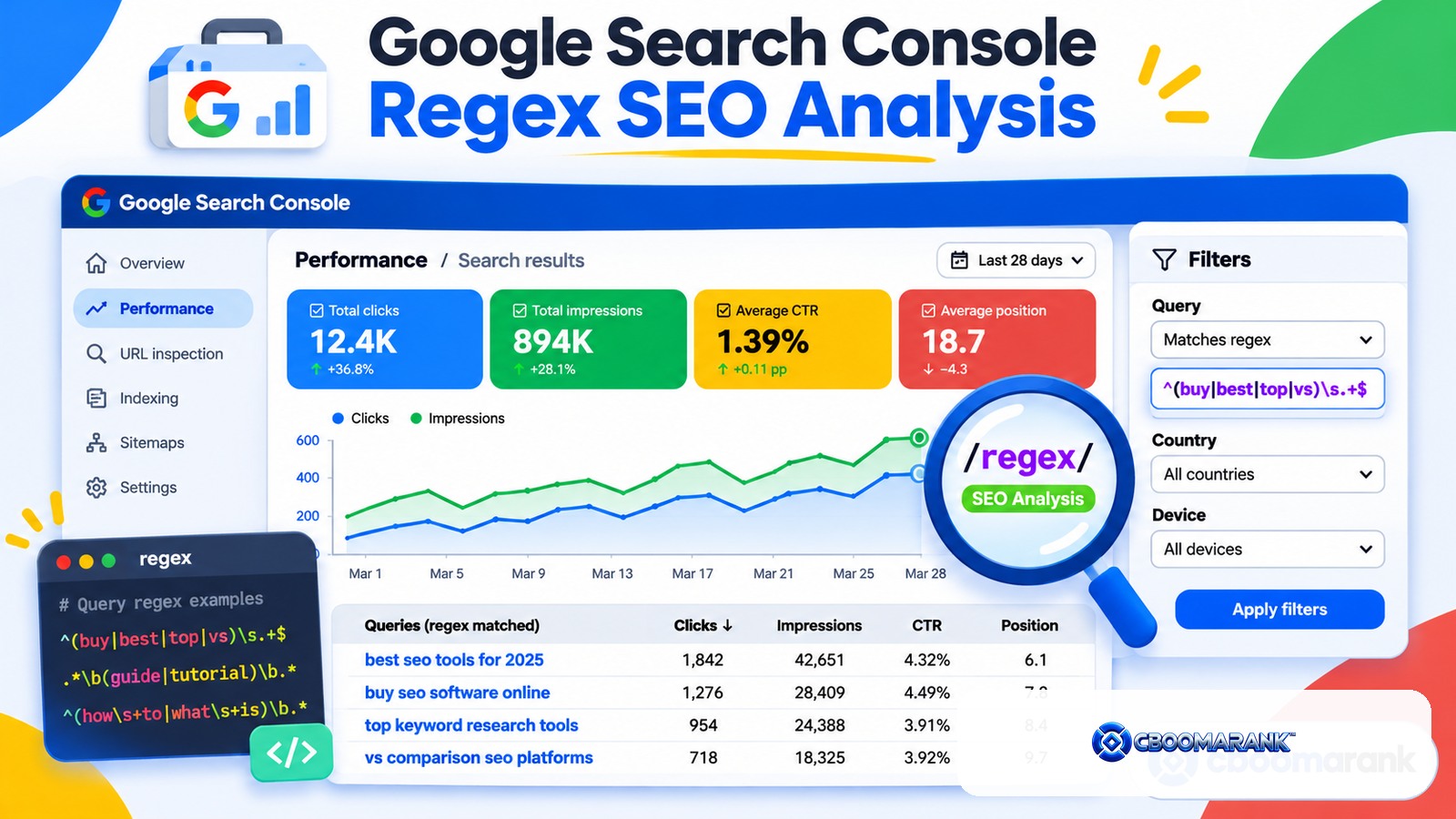
Search Console regex filters let you isolate patterns across queries and URLs inside the Google Search Console Performance report. Instead of filtering for one exact phrase at a time, regular expressions can match groups of questions, branded terms, folders, page templates, intent modifiers and other repeatable patterns.
The value is not the regex itself. The value is faster analysis. A well-designed filter can reveal which questions are growing, which pages attract commercial queries, whether one directory is losing visibility, or whether brand demand is expanding across different spellings.
Search Console Regex: The Quick Answer
Open the Search results Performance report, add a query or page filter, choose Custom (regex), and enter a pattern. Google documents that Search Console uses RE2 syntax. Build simple expressions first, test them on a small scope, and use the “doesn’t match regex” option when you want to exclude patterns instead.
Google’s current advanced filtering documentation explains regex filtering and notes that query or URL filters can affect totals because anonymized queries and data truncation can change what appears in the table.
Search Console Regex Basics You Actually Need
| Pattern | Meaning | Example use |
|---|---|---|
| | | OR | (best|top|compare) |
| ^ | Starts with | ^how |
| $ | Ends with | pricing$ |
| .* | Any characters | ^how.*seo |
| () | Group alternatives | (chatgpt|gemini|perplexity) |
| [0-9] | Any digit | 202[5-7] |
| ? | Optional previous token | colou?r |
Search Console regex is not the place to show off complicated expressions. The best filter is the simplest pattern that answers the business question. Complex regex can silently exclude useful rows, so document important filters and verify a few sample matches manually.
1. Search Console Regex for Question Queries
Question searches are useful for content planning, FAQs, support content and AI-search research. A simple pattern can isolate common question starters.
^(who|what|when|where|why|how|can|does|do|is|are|should|which)b
Use the result to identify recurring customer problems. Then cluster questions by intent rather than creating one thin page for every query. The CBOOMARANK keyword research guide explains why query lists should become page-level decisions, not automatic article ideas.
2. Search Console Regex for Commercial Investigation Queries

Commercial modifiers can reveal users who are comparing options before buying. A practical filter is:
(best|top|vs|versus|compare|comparison|alternative|alternatives|review|reviews|pricing|price)
Do not assume every query containing “best” is valuable. Review the landing page, market and conversion path. Some commercial-looking terms may be irrelevant to your product or belong to another country.
3. Search Console Regex for Transactional Queries
Transactional terms often contain action language such as buy, download, book, trial, signup or check. Example:
(buy|download|book|signup|sign up|trial|quote|hire|order|check)
Use this filter to compare CTR and landing pages for high-intent searches. If an informational article is ranking for a strongly transactional query, the page type may be mismatched.
4. Search Console Regex for Branded and Non-Branded Search
Create a branded pattern containing the company name, product name and realistic spelling variants. For CBOOMARANK, a simplified pattern might look like:
(cboomarank|cboomarank|cloudboomer)
Run it once as “matches regex” for branded demand and once as “doesn’t match regex” for non-branded discovery. Keep the list focused on genuine brand variants; overly broad abbreviations can contaminate the data.
5. Find Competitor Mentions
If users search for your brand alongside competitors, a competitor regex can reveal comparison demand. Example:
(ahrefs|semrush|moz|seranking|majestic)
This can help identify existing comparison pages that deserve updates or gaps where the site has no useful answer. Use competitor names editorially and accurately rather than creating thin pages solely to capture branded traffic.
6. Search Console Regex for a Blog Directory
For page filters, isolate the blog with:
^https://www.cboomarank.com/blog/
A directory filter makes it easier to compare blog clicks, impressions and CTR separately from the homepage, app or other site sections. Use the correct protocol and hostname for your property.
7. Exclude Utility or Account URLs

If a site exposes account, login, search or parameterized URLs in the report, exclude them when analyzing editorial performance. Example patterns depend on the site, but the principle is to remove non-comparable templates before interpreting the trend.
8. Find Year-Based Queries
For freshness-sensitive content, isolate searches containing a year:
202[5-7]
This can reveal which guides are attracting current-year intent. Do not automatically change every title to the current year; update the underlying content only when the information genuinely needs refreshing.
9. Find “Near Me” and Local Intent
(near me|nearby|in [a-z ]+|local) can be a starting point, but local patterns are easy to overmatch. For a real local business, build the filter from known city, state or neighborhood names instead of using a generic expression.
10. Identify Problem and Troubleshooting Queries
A useful troubleshooting pattern might be:
(fix|error|problem|not working|issue|failed|slow|broken)
These queries often reveal support-content opportunities and technical pain points. Compare them with the pages already receiving impressions before publishing something new.
11. Find “How to” Queries
^how (to|do|does|can) isolates a narrower instructional set than the general question filter. Use it to compare tutorial demand with your existing how-to library.
12. Find Definition Queries
^(what is|what are|meaning of|define) can surface early-stage informational searches. These are useful for foundational content but may have lower direct conversion value.
13. Search Console Regex for Comparison Queries
( vs | versus |compared with|compare ) can reveal explicit head-to-head intent. Pay attention to spacing so short tokens such as “vs” do not accidentally match inside unrelated words.
14. Find Free-Tool Intent
(free|without paying|no cost) can identify users looking for free tools or resources. This is useful when deciding whether a free calculator, checker or limited analysis can support a paid product funnel.
15. Find Agency and Business-Audience Modifiers
(agency|agencies|small business|enterprise|ecommerce|publisher) can segment queries by audience. This is useful when one guide ranks for several customer types and you need to decide whether separate pages are justified.
16. Filter by URL Template
Use page regex to isolate templates such as category pages, comparison pages or documentation. A simple folder-based filter is safer than trying to infer template type from every URL individually.
17. Find URLs With Dates or IDs
Legacy CMS structures sometimes include years, months or numeric IDs. Regex can reveal whether those patterns still receive search visibility before a migration or cleanup.
18. Exclude Brand From Keyword Research
Use “doesn’t match regex” with the brand pattern to study pure discovery demand. This prevents brand growth from making non-brand SEO performance look stronger than it really is.
19. Compare Mobile-Heavy Questions
Regex combines well with other Search Console filters. Apply the question pattern, then filter device to Mobile. This can reveal whether mobile users ask different or more urgent questions than desktop users.
20. Compare Countries With the Same Query Pattern
Use the same regex across country filters to see whether intent travels across markets. A comparison phrase may be important in one country but nearly absent in another.
21. Find Pages Ranking for Questions
Filter queries with the question regex, then switch the table to Pages. This shows which URLs are already visible for question-based demand. Improving those pages may be more efficient than creating new content.
22. Find Queries Around a Topic Cluster
Combine synonyms: (backlink|referring domain|link building|link gap). Then inspect which pages rank for the cluster. If several pages compete heavily, review the architecture before adding another URL.
23. Identify Long-Tail Modifiers
Search Console does not provide a direct “word count” regex function for queries in the interface, but you can approximate specific patterns around audience, problem and action modifiers. For deeper long-tail analysis, export the data and calculate token counts outside Search Console.
24. Build Inclusion and Exclusion Layers
Search Console lets you combine filters across dimensions. For example, isolate non-branded commercial queries on mobile in one country. Keep a record of the active filters so you do not misread a narrowed dataset as total site performance.
25. Save a Regex Library
Maintain a small internal library for brand, competitors, commercial intent, questions, troubleshooting, audience segments and key URL folders. Document what each pattern is supposed to match and review it when naming conventions change.
Search Console Regex Data Caveats
Regex does not bypass Search Console’s reporting limitations. Google notes that filters can affect totals, anonymized queries are omitted from query tables, and recent data can be preliminary. The Performance report data documentation explains freshness and export behavior.
Treat Search Console as first-party search-performance evidence, not a complete log of every search. For very large analyses, export data and combine it with analytics, crawl and business datasets.
Build a Search Console Regex Library That Your Team Can Reuse
The fastest way to get value from Search Console regex is to stop rebuilding the same filters every month. Create a small library for recurring questions such as branded versus non-branded demand, question queries, commercial modifiers, product directories, country folders and troubleshooting terms. Store each pattern with a plain-language description and one example of what it should match.
Search Console uses RE2 syntax and partial matching by default. That means a short expression can match anywhere inside a query or URL unless you anchor it with ^ or $. Understanding that behavior prevents many accidental filters. It also means you should test broad patterns before using them in executive reporting.
Use a validation workflow before trusting a regex
- Start with a narrow date range so the result is easy to inspect.
- Apply the regex to Queries or Pages.
- Scan the returned rows manually for false positives.
- Test the opposite filter when useful to confirm what is being excluded.
- Only then reuse the expression in a recurring analysis.
For example, a pattern intended to find comparison queries may accidentally match a brand name containing “vs” as part of another word. Grouping and anchors can make the expression more precise. The goal is not to write the shortest regex; it is to create a filter that another analyst can understand and safely reuse.
Regex Patterns to Treat With Extra Care
Regex is powerful enough to create misleading segments when the pattern is too broad. Single letters, common short words and unanchored fragments can pull in unrelated queries. URL patterns can also become unreliable when a site has inconsistent trailing slashes, uppercase characters or multiple directory structures.
RE2 also differs from some other regular-expression engines. Do not assume a pattern copied from a programming tutorial will work in Search Console. In particular, advanced features supported in other engines may not be available. Build patterns from the operators documented for Search Console and validate the results in the interface.
Turn regex analysis into an SEO action
A filter is only useful when it leads to a decision. Question-query regex can reveal pages that deserve clearer answers. Commercial-modifier patterns can surface high-intent queries for comparison pages. Directory filters can show whether a content section is gaining or losing visibility. Brand filters can separate brand-demand growth from non-brand SEO performance.
| Regex segment | Question it answers | Possible action |
|---|---|---|
| Question terms | What problems are searchers asking? | Add clearer answer sections or new content |
| Commercial modifiers | Where is purchase research happening? | Improve comparison and product-support pages |
| Brand exclusions | How much visibility is genuinely non-brand? | Evaluate SEO acquisition separately from brand demand |
| Directory patterns | Which site section is growing? | Prioritize internal links and refreshes |
Document Your Search Console Regex Assumptions
When a regex becomes part of monthly reporting, document the exact expression, the property it applies to and the business definition behind it. “Non-brand” can mean different things across teams. One analyst may exclude only the company name; another may also exclude product names, founder names and common misspellings. Without documentation, month-to-month comparisons can quietly change.
A small shared library with version notes is enough. The objective is repeatability: the same business question should produce the same filter unless the team intentionally updates the definition.
How CBOOMARANK Fits Into the Workflow
Regex is excellent for isolating patterns inside Search Console. CBOOMARANK can add the surrounding context: keyword opportunities, search intent, competitor visibility, backlink signals and technical findings. Together, these tools can turn a filtered pattern into a prioritized SEO action.
For example, a regex may reveal rising comparison queries. Competitor research can show who is winning them, keyword analysis can clarify related demand, and an audit can determine whether the target page has technical or on-page issues.
Use CBOOMARANK to connect Search Console findings with keyword, competitor, backlink and site-analysis workflows.
Common Search Console Regex Mistakes
- Writing a complicated pattern before defining the business question.
- Forgetting that RE2 syntax differs from some other regex engines.
- Using a brand abbreviation that matches unrelated queries.
- Assuming filtered table totals equal unfiltered site totals.
- Mixing several active filters and forgetting what the dataset represents.
- Creating content for every matched query instead of clustering by intent.
- Treating preliminary data as final.
Frequently Asked Questions
What regex syntax does Google Search Console use?
Google documents that the Performance report uses RE2 syntax for regular-expression filters.
Can Search Console regex match multiple keywords?
Yes. Use the OR operator with a vertical bar, usually inside a grouped expression such as (best|top|compare).
Can I exclude regex matches?
Yes. Choose the option that excludes or does not match the regex pattern.
Are Search Console query totals complete?
No. Anonymized queries are omitted from query tables, and filtering can affect displayed totals.
Should I use regex for keyword research?
It is excellent for mining first-party query patterns, but combine it with intent, competitor and broader demand research.
Final Verdict
Search Console regex is one of the fastest ways to turn a large query table into a focused question. Build a small library of reliable filters, combine them with page, country and device dimensions, and always interpret the results within Search Console’s data limitations.
