


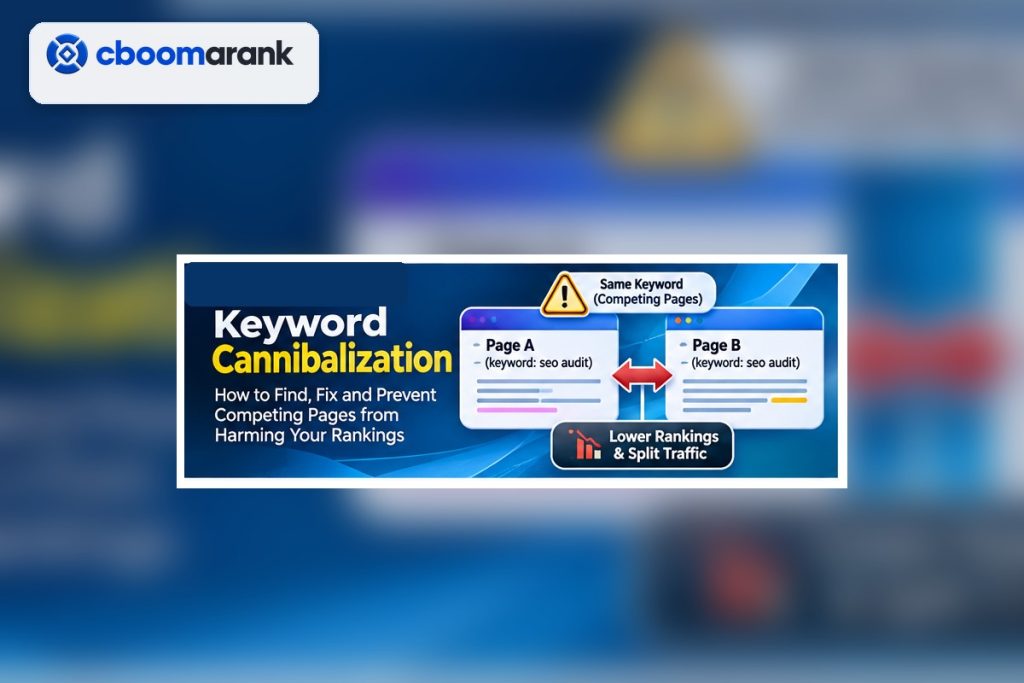
Keyword cannibalization happens when multiple pages on the same site compete for substantially the same search intent and the site sends unclear signals about which URL should be preferred. It is not simply the presence of the same keyword on two pages. Large websites naturally mention important topics repeatedly. The problem begins when overlapping pages target the same need without a clear reason to exist separately.
The right fix depends on evidence. Sometimes two pages should be consolidated. In other cases, the pages should be differentiated. The apparent cannibalization can also be harmless when each page serves a different intent. Avoid deleting or redirecting pages until you understand the query, ranking URLs, links, conversions and internal architecture.
Keyword Cannibalization: The Quick Answer
Find queries where several URLs from your site receive impressions or rankings, compare those pages with the current SERP, then decide which URL should own the intent. Consolidate true duplicates, differentiate pages that serve distinct needs, update internal links toward the preferred page, and use redirects or canonicals only when they match the content relationship.
| Situation | Diagnosis | Typical response |
|---|---|---|
| Two near-duplicate guides | Same intent and overlapping content | Merge into the stronger URL and redirect the weaker page. |
| Guide + product page | Related topic but different intent | Differentiate purpose and link them contextually. |
| Old and new article | Replacement created without migration | Consolidate signals and redirect the retired URL. |
| Country pages | Similar topic but legitimate regional differences | Keep separate with distinct local value and correct international setup. |
| Category + article | Both appear for a broad topic | Clarify which page should own the query; strengthen architecture. |
How to Find Keyword Cannibalization in Search Console
Export queries with meaningful impressions, then inspect the pages receiving impressions for each query. Multiple URLs are not automatically a problem. Look for instability: two similar pages alternating, both ranking weakly, or a less relevant URL replacing the intended one.
Compare clicks, impressions, average position, conversions and date ranges. Search Console data is sampled and position is an average, so use it as diagnostic evidence rather than a perfect ranking log. For important queries, combine it with a live SERP check and your own analytics.
Use a Site Search and Crawl to Find Keyword Cannibalization
Search your site for the target topic and review titles, headings and URLs. A crawl can surface duplicate titles, similar headings, internal anchors and near-duplicate content. The CBOOMARANK technical SEO checklist recommends consolidating duplicate and overlapping content and keeping internal linking aligned with the preferred page.
Create a simple inventory: URL, purpose, primary intent, target audience, key conversions, organic traffic, backlinks and preferred status. The inventory makes it easier to see whether two pages truly compete or merely share vocabulary.
Check Search Intent Before Fixing Keyword Cannibalization
Two pages can target the same broad topic but deserve separate URLs. A definition of “keyword clustering” and a software comparison for “best keyword clustering tools” serve different outcomes. If the SERP shows distinct page types for the queries, differentiation may be better than consolidation.
Use the search intent framework to state each page’s job in one sentence. If you cannot write two meaningfully different jobs, the pages may not need to remain separate.
Choose a Preferred Page to Resolve Keyword Cannibalization
When two pages serve the same intent, pick the page with the strongest combination of relevance, links, engagement, conversions, freshness and strategic fit. Do not choose automatically based on age or traffic. An older page may have valuable backlinks; a newer page may better match the product and intent.
Once selected, make the preferred URL unmistakable across internal links, navigation, sitemaps and content. Search systems work with multiple signals; consistency is more useful than a single isolated change.
Keyword Cannibalization Fix 1: Consolidate and Redirect
Merge the unique value from both pages into the preferred URL, remove duplication, then permanently redirect the retired page when it no longer needs to exist. Update internal links so they point directly to the surviving URL rather than relying on the redirect. Preserve genuinely useful examples, links and media during the merge.
After migration, monitor the preferred page for impressions, clicks, indexing and backlinks. Do not judge the result after one day; search systems need time to recrawl and process the signals.
Keyword Cannibalization Fix 2: Differentiate the Pages
If both URLs serve legitimate needs, make the distinction obvious. Change titles, introductions, headings, examples and internal anchors to reinforce each page’s job. One page might target the educational problem while the other targets comparison or purchase intent.
Differentiation must be substantive. Changing only a title tag while leaving most of the body duplicated is unlikely to create a clear experience.
Keyword Cannibalization Fix 3: Improve Internal Linking
Internal links help users and search systems understand the preferred destination. Link from related articles to the page that owns the intent using descriptive anchors. Reduce conflicting sitewide anchors that point to several near-duplicate pages.
Do not overcorrect with exact-match anchor text everywhere. The technical SEO checklist emphasizes useful anchor text rather than forced repetition. Vary wording naturally while keeping the destination relationship clear.
Fix Option 4: Canonicalization—Use Carefully
Google Search Central’s URL structure guidance also warns that large numbers of identical or very similar URLs can make crawling less efficient, which is another reason to keep overlapping page structures deliberate.
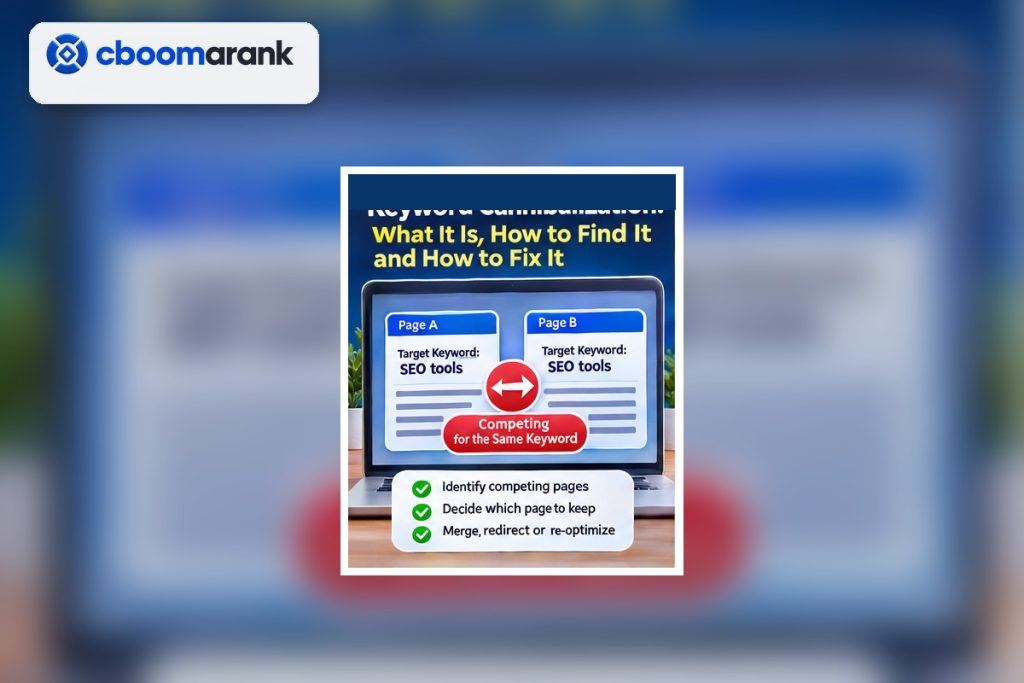
A canonical can signal the preferred version of duplicate or near-duplicate pages, but it is not a substitute for a coherent content strategy. If two pages need to exist for users but are substantially duplicate, canonicalization may be appropriate. If the pages serve different intents, forcing one canonical can suppress a legitimate URL.
For pages you are truly retiring, a permanent redirect is usually a clearer migration than leaving the old page live with a canonical. Evaluate the specific relationship before choosing the mechanism.
Prevent Cannibalization With Keyword Clusters
A good keyword clustering process assigns one preferred URL to each major intent before publication. Supporting articles should expand narrower problems and link back to the hub rather than re-creating the hub’s promise.
Maintain a content map with target URL, primary intent, cluster, status and last review date. This becomes especially important as the blog grows beyond dozens of articles.
CBOOMARANK Workflow for Overlapping Pages
Use website analysis and keyword/competitor research to identify page overlap, then decide whether the problem is technical, architectural or editorial. Backlink intelligence is useful before consolidation because one candidate URL may have stronger referring domains that should be preserved through the migration.
Keep a change log: old URL, preferred URL, action, redirect status, internal links updated and validation date. This makes later ranking changes easier to interpret.
Connect site analysis, keyword research and backlink evidence before consolidating important pages.
Common Cannibalization Mistakes
- Calling every shared keyword cannibalization.
- Deleting a ranking URL before checking its backlinks and conversions.
- Creating a new “better” article without migrating the old one.
- Using canonical tags to hide a content strategy problem.
- Keeping several near-duplicate pages because each has a slightly different exact-match keyword.
- Changing established URLs without redirects.
- Over-optimizing internal anchors after consolidation.
- Failing to monitor the preferred URL after the fix.
Keyword Cannibalization Audit Workflow
- Identify queries with multiple ranking or impression-generating URLs.
- Inventory the competing pages and their purposes.
- Check live search intent and dominant result types.
- Compare links, traffic, conversions, freshness and strategic fit.
- Choose the preferred URL or define distinct intents.
- Merge, redirect, differentiate or canonicalize as appropriate.
- Update internal links and sitemaps.
- Request recrawl where appropriate and monitor Search Console.
- Document the change and review after sufficient recrawl time.
Common Cannibalization Patterns by Site Type
Blogs often create overlap when several writers publish near-identical “complete guides” over time. Ecommerce sites can produce competition between categories, filtered URLs and buying guides. SaaS sites may have a feature page, comparison page and educational article all drifting toward the same keyword. Local businesses can accidentally create location pages with only minor wording changes.
The pattern matters because the fix differs. A blog duplicate may be consolidated. Meanwhile, a category and buying guide may both be useful if the intent is clear. For a SaaS site, a feature page and educational guide should usually be differentiated and linked. Thin location pages may need substantial local value rather than another SEO tweak.
Redirect vs Canonical vs Keep Both
Use a permanent redirect when one page is retired and users should reach the surviving replacement. Use a canonical when duplicate or near-duplicate pages must remain accessible but one version should be preferred for indexing signals. Keep both when they serve distinct intents or audiences and can be made clearly different.
Do not choose based on convenience. A redirect removes the old destination from the normal user journey. A canonical is a hint about preferred indexing, not a redirect. Keeping both creates an ongoing editorial obligation to preserve the distinction.
Internal Linking After Consolidation
After choosing a preferred URL, update contextual links across the site so they point directly to it. Check navigation, related-post modules, category pages and high-authority articles. If the retired URL had strong backlinks, keep the redirect in place and monitor it for errors.
Review anchor text for clarity, but do not replace every link with the exact keyword. Descriptive variation is natural and often more helpful to readers. The important point is that the site consistently reinforces the preferred destination.
Validate the Fix
After implementation, crawl the affected URLs, verify response codes and canonicals, confirm internal links, and check the XML sitemap. Then monitor Search Console to see whether impressions consolidate on the intended page. For a redirect, confirm that external backlinks resolve to the surviving URL without chains.
Keep the before-and-after record for several weeks or longer depending on crawl frequency and traffic. If rankings fall, do not immediately undo the change; first verify that the migration is technically correct and that the surviving page still satisfies the intent.
Prevent Cannibalization in Editorial Operations
Add a required “existing URL check” to every content brief. Before a writer starts, search the site and the cluster map. If a related page exists, the brief must explain why a new URL is needed or specify that the work is an update.
This small process is more reliable than trying to repair cannibalization after hundreds of posts are live. Prevention is an editorial governance problem as much as an SEO problem.
Worked Example: Two Articles Competing for the Same Query
Imagine one article titled “Best SEO Audit Tools” and another titled “SEO Audit Software Compared.” Both target the same audience, compare the same products and rank for the same cluster. One has stronger backlinks; the other is newer and more detailed. The first step is not to delete either page. Compare their links, conversions and content, then choose the URL with the best long-term fit.
Merge the unique evidence into the preferred URL, redirect the retired page, update internal links and monitor the surviving page. If one page can be repositioned for a distinct audience—such as agencies versus small businesses—keep both only when that distinction is real and reflected throughout the content.
Cannibalization vs Normal Multi-Page Visibility
Sometimes two URLs from the same domain both appear for a query because each is relevant. A product page and documentation page can both be useful; a category and review article can serve different stages. Multiple visibility is not automatically a defect.
The warning sign is instability or confusion: the wrong page ranks, positions alternate repeatedly, neither page performs strongly, or internal links send contradictory signals. Diagnose the behavior, not just the shared keyword.
Frequently Asked Questions
Is keyword cannibalization always bad?
No. Multiple pages can rank for related queries without harming each other when they serve different intents. Diagnose the relationship before fixing it.
Should I delete the weaker page?
Usually not immediately. Check links, traffic, conversions and unique content first. Consolidation with a redirect is often safer than deletion.
Can internal links fix cannibalization?
They can clarify page importance and context, but severe duplicate intent may still require consolidation or differentiation.
Does a canonical tag solve cannibalization?
Only in cases where duplicate or near-duplicate pages should share a preferred canonical. It is not a universal cannibalization fix.
How do I prevent the problem on new content?
Maintain a keyword cluster and page map, search the existing site before drafting, and assign one preferred URL to each intent.
Final Checklist
Fix cannibalization by clarifying page ownership, not by chasing exact-match keywords. Use query data, intent, backlinks, conversions and architecture to decide which URL should win. Then make every supporting signal—content, internal links, redirects, canonicals and sitemaps—consistent with that decision.
