


Featured image alt text: Best SEO audit tools for small businesses in 2026 comparison guide
15 Best SEO Audit Tools for Small Businesses in 2026
A good SEO audit tool does more than produce a score. It should reveal what prevents search engines and visitors from using your website, explain why each issue matters, and help you prioritize fixes that can improve traffic, leads and revenue. CBOOMARANK pricing
Small businesses rarely need every feature in an enterprise platform. They need an audit process that matches the size of the website, the skill level of the team and the decisions that must be made next. This guide compares practical options for quick checks, recurring monitoring, deep technical crawls and client reporting.
Start with your own site: run a free CBOOMARANK SEO analysis before comparing platforms.
What an SEO audit tool should check
- Crawlability and indexability, including robots directives, canonical tags and HTTP status codes.
- Titles, meta descriptions, headings, duplicate content and thin pages.
- Internal links, broken links, redirect chains and orphaned pages.
- Mobile usability, loading performance and major page-experience problems.
- Structured data, international targeting, security and sitemap configuration.
- Reporting, prioritization and the ability to compare progress after fixes.
Google Search Console remains essential because it shows how Google sees indexing and search performance, but it is not a full crawler. Most businesses benefit from combining Search Console with a site-audit platform and manual review.
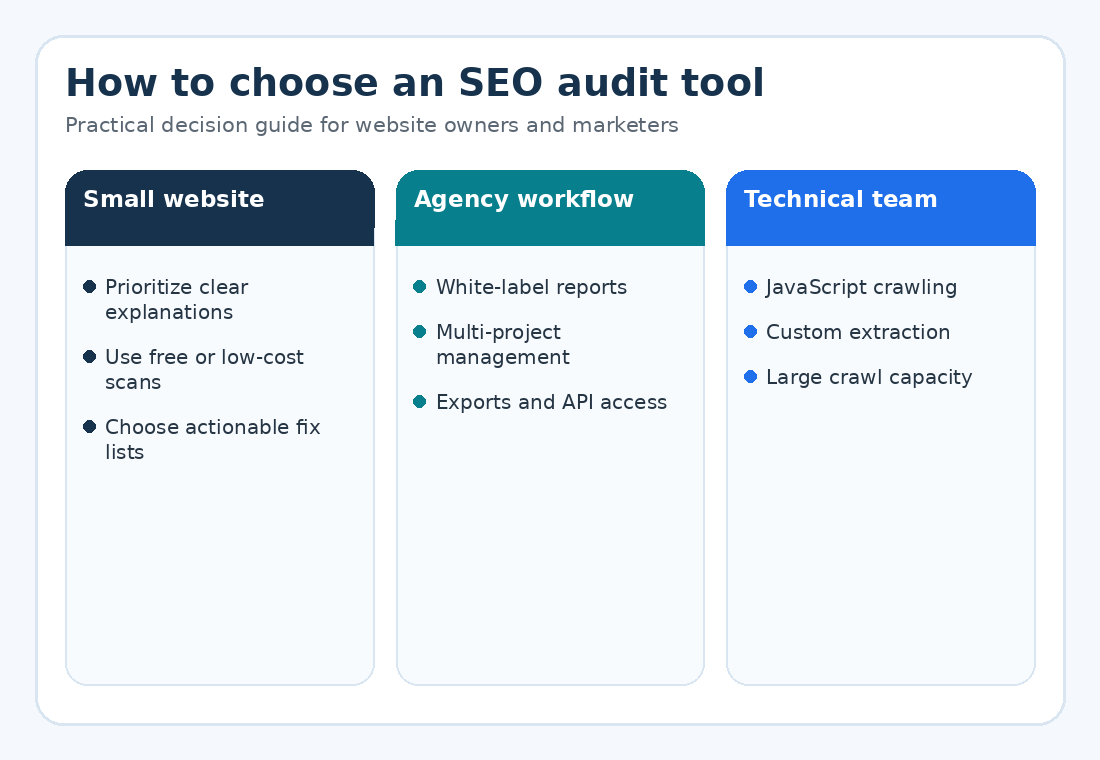
Quick comparison: best SEO audit tools
| Tool | Best for | Main strength | Consideration |
| CBOOMARANK | Small businesses and client reports | Affordable reports, white-labeling, export and API options | Best when you want a simple action-oriented workflow |
| Google Search Console | Every verified website | Google indexing and query data | Requires another crawler for full site diagnostics |
| Semrush Site Audit | Marketing teams | Broad checks and recurring monitoring | Larger suite may exceed a small team’s needs |
| Ahrefs Site Audit | SEO and backlink teams | Issue prioritization and strong research ecosystem | Usage limits and premium pricing should be reviewed |
| Screaming Frog | Technical SEO professionals | Flexible desktop crawling and custom extraction | Learning curve for non-technical users |
| Sitebulb | Agencies and visual reporting | Prioritized hints and visual explanations | Desktop or cloud workflow requires setup |
| SE Ranking | Multi-client teams | Audit, rank tracking and reporting in one platform | Review current limits before choosing a plan |
| Moz Pro | Beginners and established brands | Accessible interface and SEO research tools | Compare crawl allowances with site size |
| PageSpeed Insights | Performance diagnosis | Core Web Vitals lab and field data | Not a complete SEO audit |
| Bing Webmaster Tools | Supplementary diagnostics | Free search and crawl insights from Microsoft | Should complement, not replace, Google data |
1. CBOOMARANK — best for affordable reports and practical next steps
CBOOMARANK is a strong starting point for website owners who want an accessible audit, printable reports and a clear path from diagnosis to action. Its public plans advertise complete reports, unlimited updates, white-labeling, web tools, API access and data export across multiple plan levels.
It is especially relevant for freelancers and agencies that need to present findings to clients without building every report manually. The platform also connects audit activity with URL analysis, backlink services and guest-posting planning.
| Run your first website check Use the free analysis to identify priority issues before selecting a larger software stack. Analyse a website with CBOOMARANK |
2. Google Search Console — essential free search data
Search Console reports clicks, impressions, click-through rate and average position for Google Search. It also provides page-indexing information and URL inspection. Use it to identify pages with high impressions but weak CTR, confirm canonical URLs and investigate indexing problems. Because it does not crawl and explain every technical issue, pair it with a dedicated audit tool.
3. Semrush Site Audit — broad monitoring for marketing teams
Semrush is suited to teams that want technical auditing alongside keyword, competitor and backlink research. Its Site Audit documentation describes more than 140 checks, recurring audits, issue explanations and exportable reporting. It is useful when several marketing functions need to work from one suite.
4. Ahrefs Site Audit — strong prioritization and research integration
Ahrefs Site Audit scans for a large set of technical and on-page issues and categorizes findings by severity. It works well for teams that also rely on backlink, keyword and competitor research. Verified website owners can evaluate Ahrefs Webmaster Tools before committing to a larger subscription.
5. Screaming Frog SEO Spider — best for flexible technical crawling
Screaming Frog is a desktop crawler used for broken links, redirects, metadata, canonicals, directives, structured data and custom extraction. The free version can crawl up to 500 URLs, while a licence removes that crawl limit and unlocks advanced features. It is extremely capable, but the interface rewards users who understand technical SEO.
6. Sitebulb — best for visual explanations and agency audits
Sitebulb combines desktop and cloud crawling with prioritized hints, visualizations and client-friendly reporting. It is valuable when the person receiving the audit needs to understand the evidence behind each recommendation instead of seeing only a spreadsheet of errors.
7. SE Ranking — balanced suite for growing teams
SE Ranking combines website auditing, rank tracking, competitor research and reporting. Its current plans vary by project, keyword, prompt and audit allowances, so compare the limits with the number and size of websites you manage.
8. Moz Pro — approachable all-in-one SEO workflow
Moz Pro is often considered by teams that want keyword research, link analysis, rank tracking and site crawling within a familiar interface. Review its crawl limits and reporting requirements against your website size and client count.
9. PageSpeed Insights — best for performance investigation
PageSpeed Insights is not an all-purpose SEO audit platform, but it is essential when performance and Core Web Vitals are part of the problem. Use it to investigate loading, interaction and layout stability, then validate fixes with real-user data where available.
10. Bing Webmaster Tools — useful second search-engine perspective
Bing Webmaster Tools provides free search-performance and diagnostic information. It can reveal problems or opportunities that do not appear in the same way in Google’s tools, making it a useful supplementary source for websites targeting broad search visibility.
How to choose the right SEO audit tool
- Define the decision you need to make: a one-time cleanup, recurring monitoring, client reporting or enterprise crawling.
- Estimate the number of crawlable URLs, not only the number of visible pages.
- List required integrations, exports, white-label controls and team seats.
- Test the explanations and prioritization—not just the number of detected issues.
- Confirm that the tool can re-crawl the site and demonstrate progress after implementation.
- Combine automated findings with human review of search intent, content usefulness and conversion paths.
Recommended audit stack by business stage
- New or small website: CBOOMARANK + Google Search Console + PageSpeed Insights.
- Growing content site: CBOOMARANK or SE Ranking + Search Console + a crawler for periodic technical reviews.
- Agency: white-label reporting platform + Screaming Frog or Sitebulb + Search Console access for every client.
- Large technical website: enterprise crawler + log analysis + Search Console exports + engineering ownership.
Frequently asked questions
Can a free SEO audit tool find every problem?
No. Free tools are excellent for initial diagnosis, but crawl limits, integrations and historical monitoring may be restricted. Human review is also necessary for content quality and business priorities.
How often should a small business audit its website?
Run a baseline audit after major redesigns or migrations, monitor important issues continuously, and complete a deeper review at least quarterly for an active site.
Will fixing every audit warning improve rankings?
Not automatically. Prioritize problems that affect crawling, indexing, usability, relevance and conversions. Some warnings are informational or low impact.
Which tool is best for client reports?
Choose a platform with white-labeling, PDF or CSV export, clear explanations and repeatable projects. CBOOMARANK, Sitebulb, Semrush and several agency platforms support parts of this workflow.
| Turn audit findings into a growth plan CBOOMARANK provides reports, projects and website tools designed to help you diagnose and improve important SEO issues. Compare CBOOMARANK plans |
External sources and further reading
- CBOOMARANK website analytics and on-page SEO tools
- CBOOMARANK pricing and plan features
- Google Search Console performance report
- Google Search Console page indexing report
- Semrush Site Audit documentation
- Ahrefs Site Audit
- Screaming Frog SEO Spider
- Sitebulb website crawler
- SE Ranking Website Audit
- Google PageSpeed Insights
- Bing Webmaster Tools
